Cloud instance shutdowns vs terminations
When a cloud virtual machine is removed, your cloud provider can either power it off immediately or send an advance termination notice. To correctly distinguish a permanent termination like an autoscaling scale-in or a spot instance reclaim from an ordinary shutdown, your cloud console must be configured to send this advance notice to Site24x7.
Without these notifications enabled, scaled-down or reclaimed instances may be reported as normal shutdowns rather than terminations, making it difficult to distinguish temporary outages from permanent infrastructure changes.
This guide explains how to enable termination notifications in Microsoft Azure, Amazon Web Services (AWS), Google Cloud Platform (GCP), and Oracle Cloud Infrastructure (OCI). Configuration is performed once in your cloud console and applies to all instances in the configured resource.
Prerequisite
You must have permission to view and edit Auto Scaling, Scale Set, Instance, or Instance Pool settings in your cloud console to complete these configurations.
Microsoft Azure
Azure sends termination notices through the Termination Notification option on Virtual Machine Scale Sets.
Steps to enable termination notifications
- Sign in to the Azure Portal.
- Navigate to Virtual Machine Scale Sets and select your scale set.
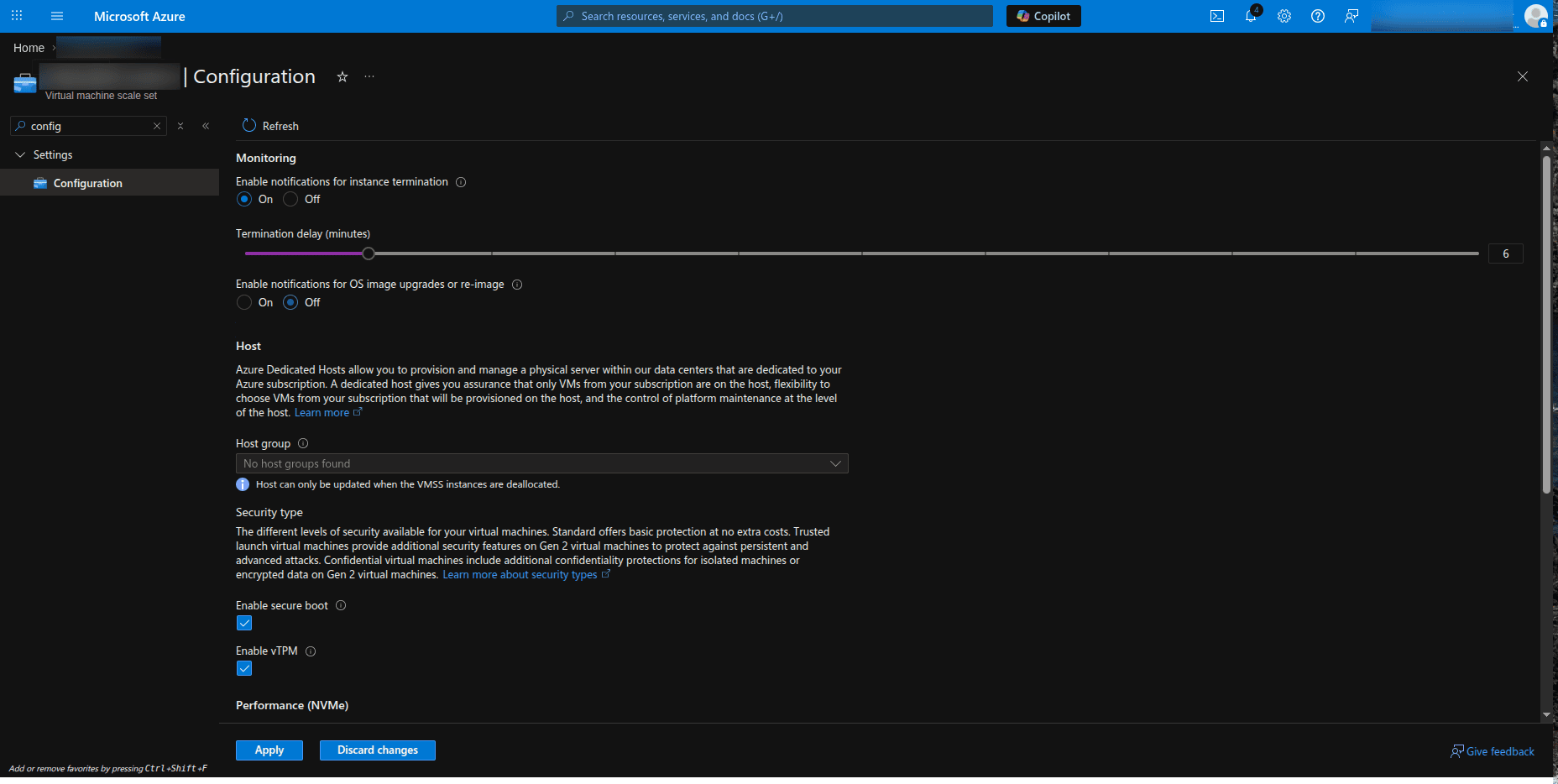
- In the left menu, open Settings > Configurations.
- Turn on the Enable notifications for instance termination toggle.
- Set Termination delay (minutes) to at least 6 minutes. This gives the Site24x7 agent sufficient time to detect and report the termination before the instance is removed.
- Click Save.
Without this notification enabled, a scale-in instance powers off immediately and may be reported as a normal shutdown rather than a termination.
Amazon Web Services (AWS)
AWS provides termination notices in two ways:
- Auto Scaling Groups: Require a Lifecycle Hook to be created (manual setup).
- Spot Instances: Interruption notices are sent automatically and need no setup.
Steps for Auto Scaling Groups
- Sign in to the AWS Management Console.
- Go to EC2 > Auto Scaling Groups and select your group.
- Open the Instance management tab.
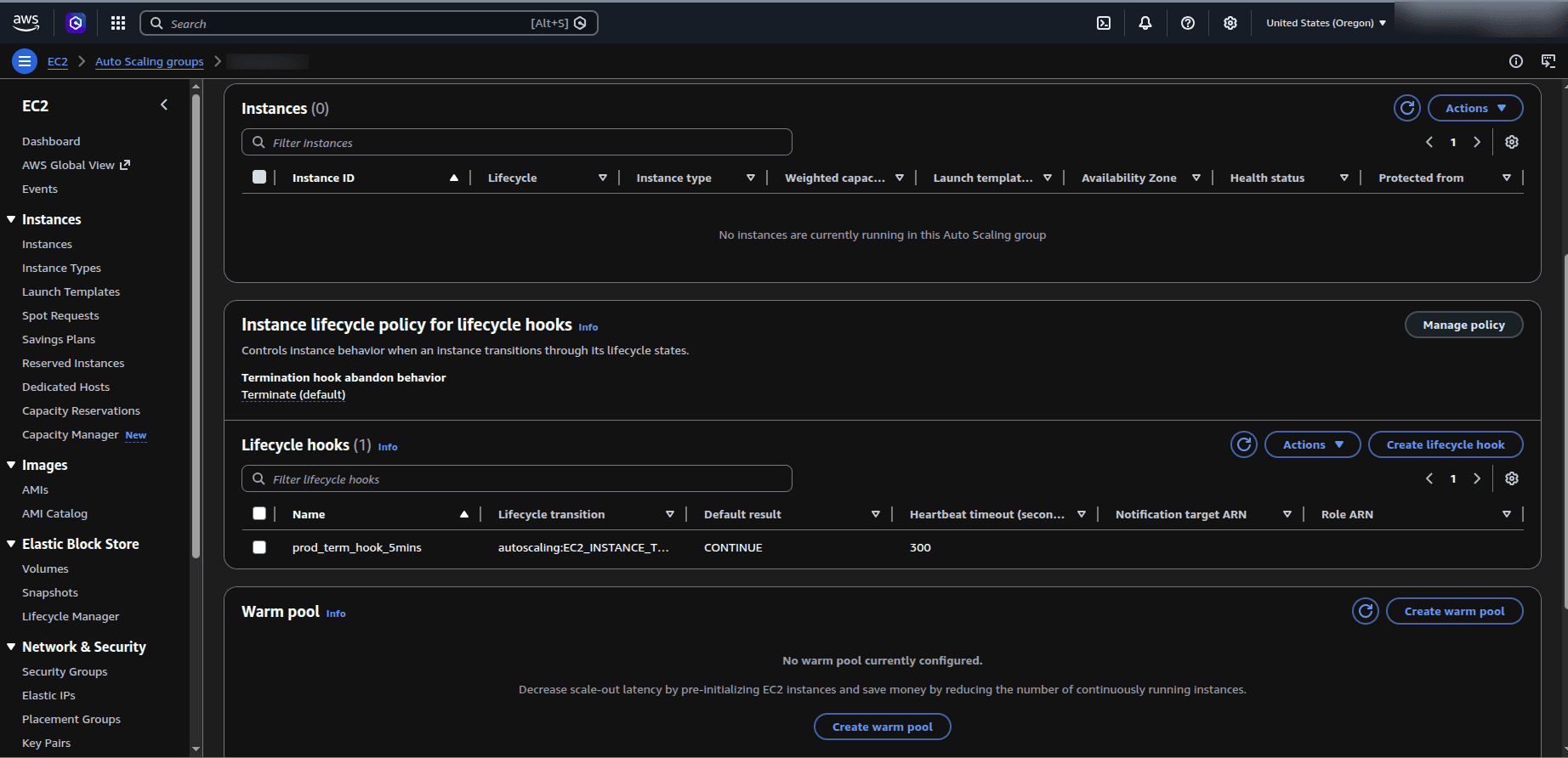
- Under Lifecycle hooks, click Create lifecycle hook.
- Set the following parameters:
- Lifecycle transition: Instance terminate
- Heartbeat timeout: At least 300 seconds (5 minutes)
- Default result: CONTINUE
- Click Create.
The lifecycle hook briefly pauses the instance during scale-in, giving the Site24x7 agent time to detect and report the termination. Spot instance interruptions need no configuration as they are sent automatically.
Google Cloud Platform (GCP)
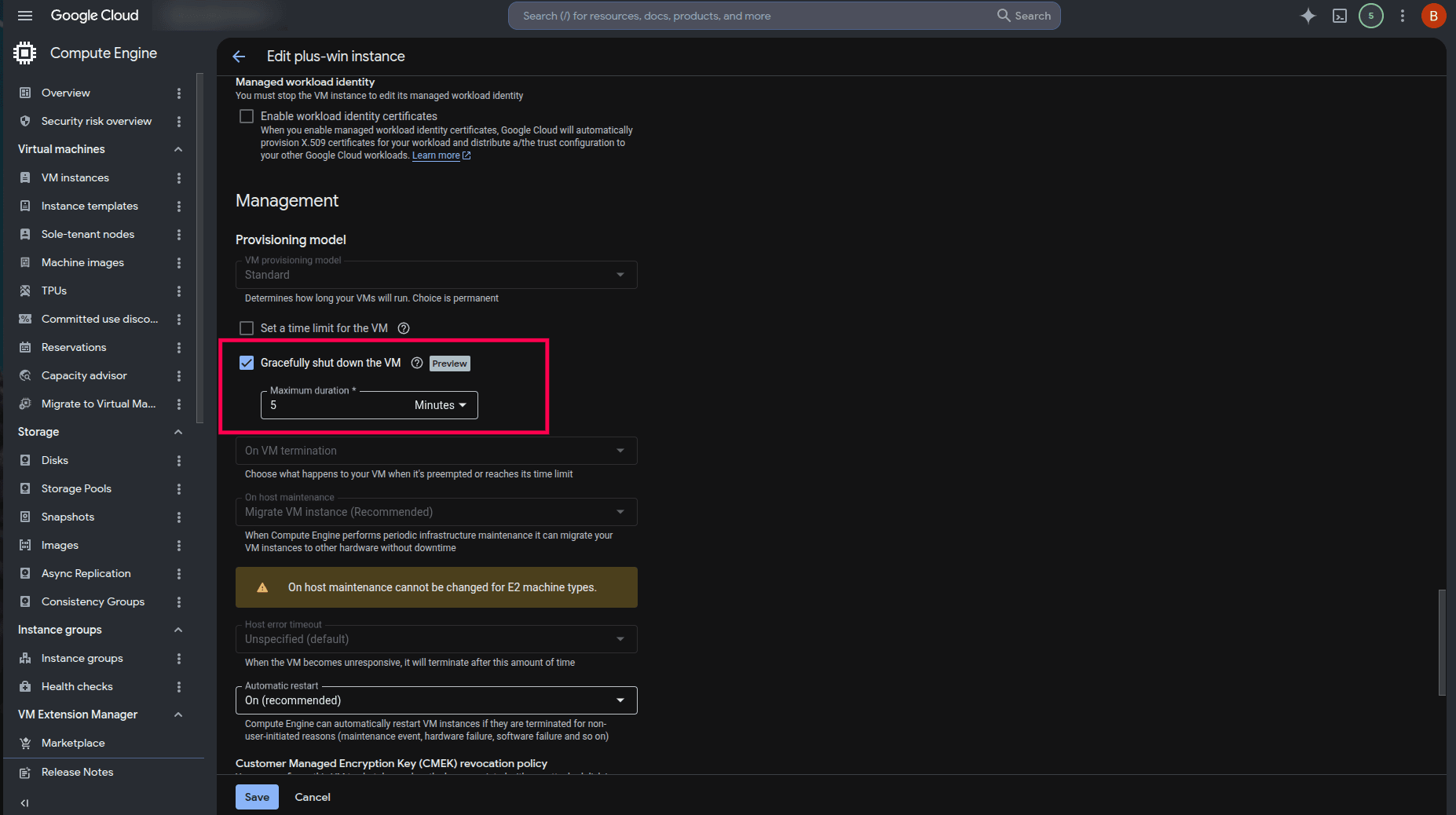
GCP reports terminations through the Graceful Shutdown option, available on standalone VM instances. Graceful shutdown is not supported on Managed Instance Groups (MIGs), so scale-ins on MIGs may be reported as normal shutdowns.
Steps for standalone VMs
- Sign in to the Google Cloud Console.
- Navigate to Compute Engine > VM instances.
- Create or edit a VM and open its configuration panel.
- Under the Management section, enable Gracefully shut down the VM.
- Set Maximum duration to at least 5 minutes. This provides the agent with sufficient time to detect and report the termination.
- Click Save.
On Managed Instance Groups (MIGs), graceful shutdown is not supported; therefore, a scale-in may be reported as a normal shutdown. Standalone VM deletion will be reported as termination.
Oracle Cloud Infrastructure (OCI)
OCI provides advance termination notices in two ways:
- Preemptible instances: Automatically receive termination notices (no setup required).
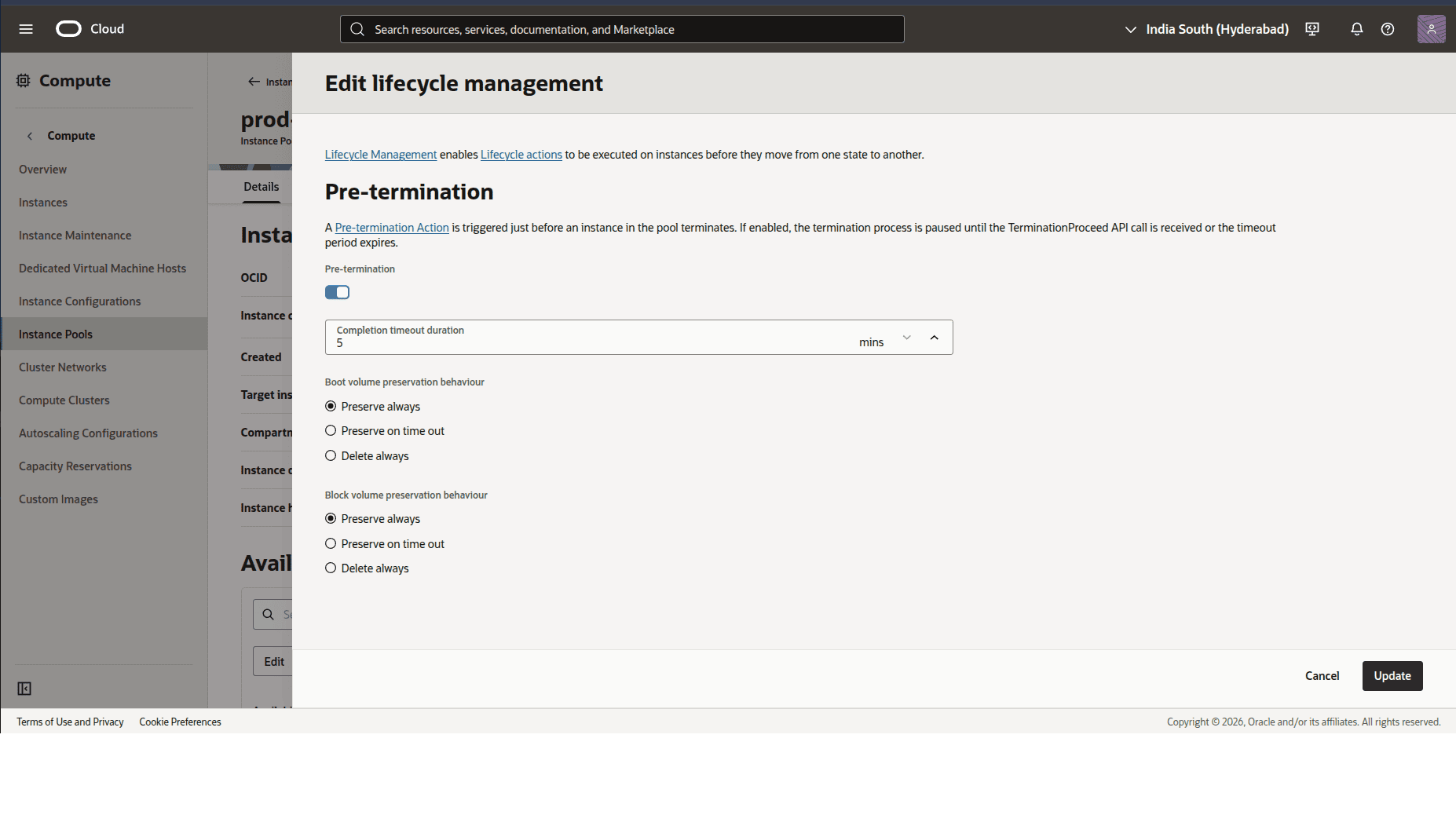
- Instance Pools: Can be configured with a Pre-termination Action to send advance notice during scale-in operations.
Steps for Instance Pools
- Sign in to the OCI Console.
- Navigate to Compute > Instance Pools and select your instance pool.
- Under Actions, select Edit lifecycle management.
- Enable Pre-termination.
- Set a Completion timeout duration (at least 5-10 minutes) to allow the Site24x7 agent time to detect the termination before the instance is removed.
- Click Update to save your changes.
Without Pre-termination enabled, an instance removed during a pool scale-in is terminated immediately with no advance notice, and will be reported as a normal shutdown.