Azure RSV replication item monitoring
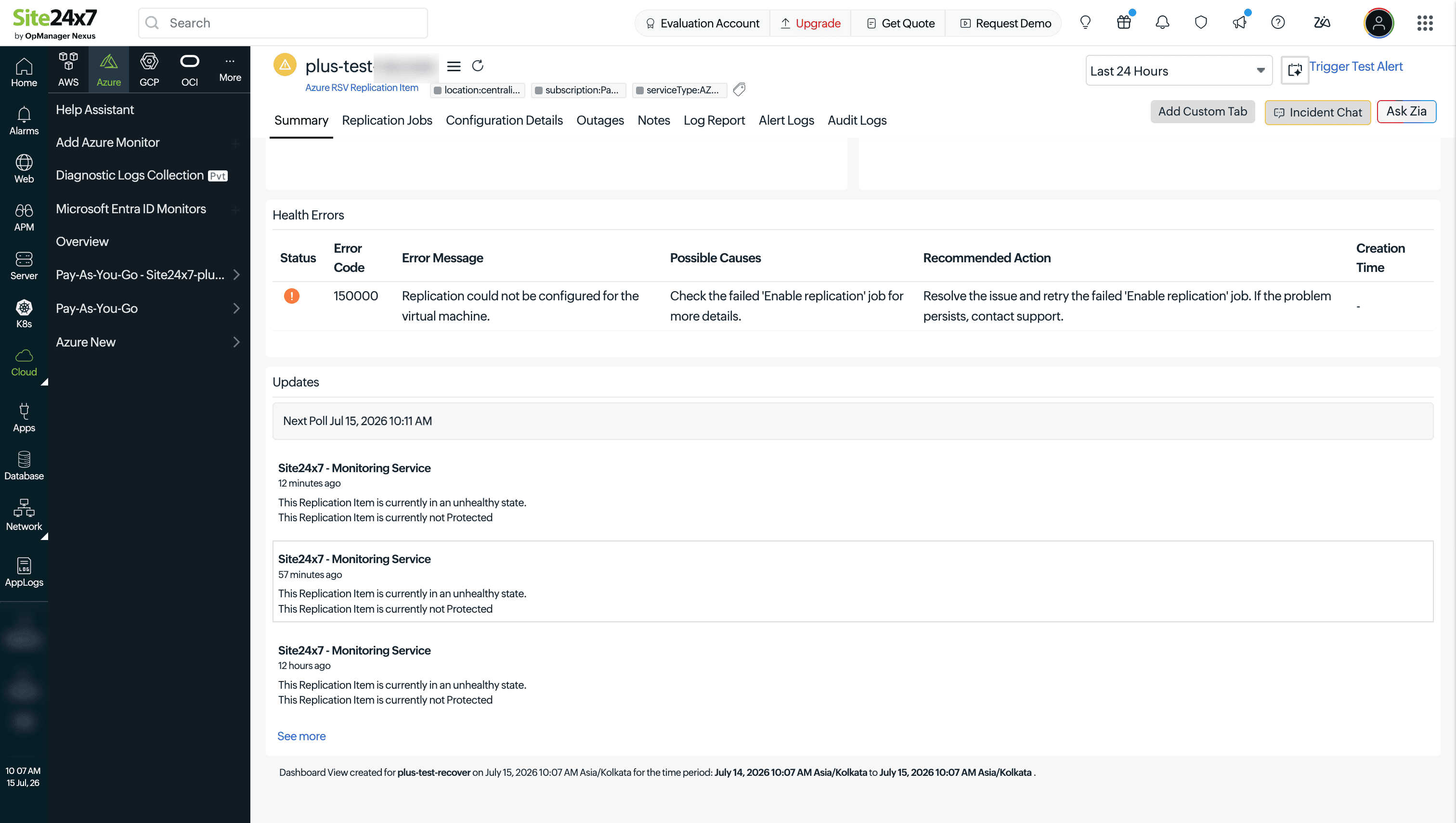
An Azure Recovery Services Vault (RSV) replication item represents an individual protected item—typically a virtual machine (VM)—replicated through Azure Site Recovery for disaster recovery. Site24x7 monitors each replication item to track its replication health, recovery point objective (RPO), protection state, and failover readiness, so you know at all times whether a protected workload can be reliably recovered.
Performance metrics
The following metrics are collected for each replication item.
| Metric name | Description | Unit |
|---|---|---|
| Replication Health | The current health of the replication process for this item, as reported by Azure Site Recovery (for example, Normal , Warning , or Critical ). A degraded health status indicates replication issues that may affect recovery point currency or failover reliability. | Status |
| Last RPO | The RPO—the time elapsed since the last successful recovery point was created for this item. A rising RPO value indicates replication is falling behind, increasing the amount of data that could be lost in a failover. | Seconds |
| Protection State | The current protection status of the item (for example, Protected , Protection Failed , or Initial Replication in Progress ). This reflects whether the item is actively being safeguarded by Azure Site Recovery. | Status |
| Failover Health | The health status related to the item's readiness for failover (for example, Normal or Critical ). This helps identify items that may fail to recover successfully if a failover is triggered. | Status |
| Resource Status | The status of the replication item resource itself within Azure. A change in this status—such as the item being removed—is tracked to alert on unexpected configuration changes. | Status |
| Failed Replication Jobs | The count of replication jobs for this item that ended in a Failed status during the collection period. A rising count indicates recurring replication failures that need investigation. | Count |
Configuration details
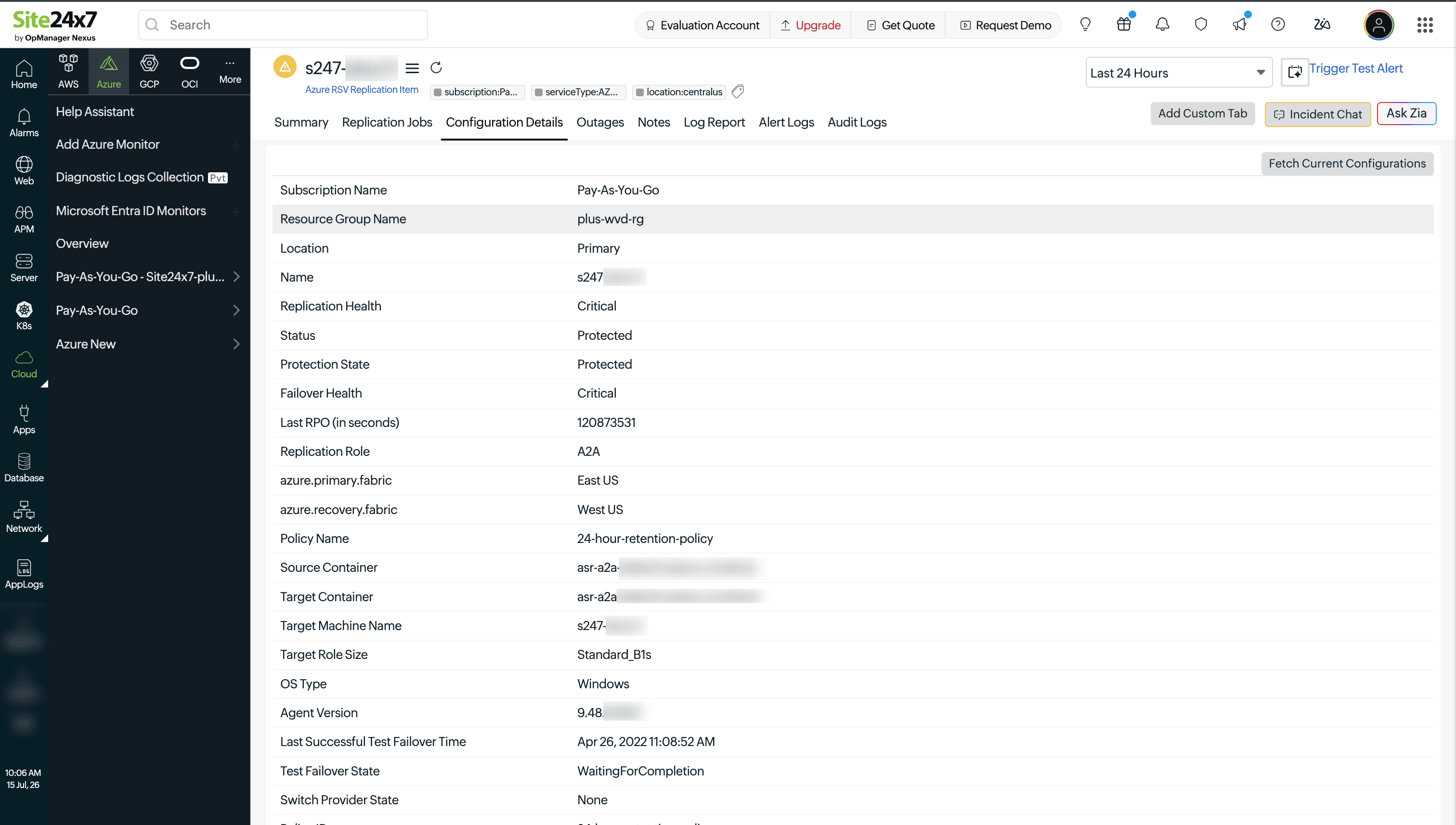
In addition to performance metrics, Site24x7 captures configuration attributes for each replication item. These are updated whenever a change is detected and provide context for troubleshooting replication and failover issues.
| Attribute | Description |
|---|---|
| Subscription | The Azure subscription the replication item belongs to. |
| Resource Group | The resource group containing the parent RSV. |
| Location | The Azure region of the RSV. |
| Name | The name of the replicated item, typically matching the source VM name. |
| Protection State Description | A descriptive explanation of the current protection state, providing additional context beyond the state value itself. |
| Last Successful Failover Time | The timestamp of the most recent successful failover performed for this item. |
| Last Successful Test Failover Time | The timestamp of the most recent successful test failover performed for this item, without impacting production. |
| Policy Name | The name of the replication policy governing this item's RPO, retention, and recovery point frequency settings. |
| Replication Provider | The replication provider or mechanism used for this item (for example, A2A for Azure-to-Azure replication). |
| Primary Fabric | The source infrastructure fabric hosting the item before failover. |
| Recovery Fabric | The target infrastructure fabric the item will fail over to. |
| Source Container | The protection container on the primary (source) side. |
| Target Container | The protection container on the recovery (target) side. |
| Target Machine Name | The name the failed-over VM will assume in the recovery environment. |
| Target Role Size | The VM size that will be provisioned in the recovery region upon failover. |
| Agent Version | The version of the Azure Site Recovery replication agent installed on the source VM. |
| OS Type | The operating system type of the replicated VM (for example, Windows or Linux). |
| Vault ID | The unique identifier of the parent RSV. |
| Active Location | The region currently serving the active instance of the item: the primary region under normal operation, or the recovery region after a failover. |
| Test Failover State | The current state of any in-progress or completed test failover operation for this item. |
| Switch Provider State | The state of any in-progress operation to switch the replication provider for this item. |
| Policy ID | The unique identifier of the replication policy applied to this item. |
| Last Heartbeat | The timestamp of the last heartbeat received from the replication agent on the source VM. A stale heartbeat may indicate agent or connectivity issues. |
| Agent Expiry Date | The date on which the current replication agent version is due to expire and require an update. |
| Agent Certificate Expiry Date | The expiry date of the replication agent's authentication certificate. Renew before this date to avoid replication interruption. |
| Replication Agent Update Required | Indicates whether the replication agent on the source VM needs to be updated. |
| Encryption Type | The encryption configuration applied to the replicated VM's disks. |
| Recovery Generation | The VM generation (Generation 1 or Generation 2) that will be used for the recovered VM. |
| Availability Zone | The availability zone of the source VM, if applicable. |
| Multi VM Group Name | The name of the multi-VM consistency group this item belongs to, if it is replicated together with other VMs for crash-consistent recovery. |
| Last RPO Calculated Time | The timestamp at which the Last RPO metric value was last calculated by Azure Site Recovery. |
Health errors
The Health Errors tab on the replication item's detail page lists any errors or warnings reported by Azure Site Recovery for this item, including the error code, error message, possible causes, and Microsoft's recommended remediation action. Use this tab as the first place to check when a replication item shows degraded health.
Replication jobs
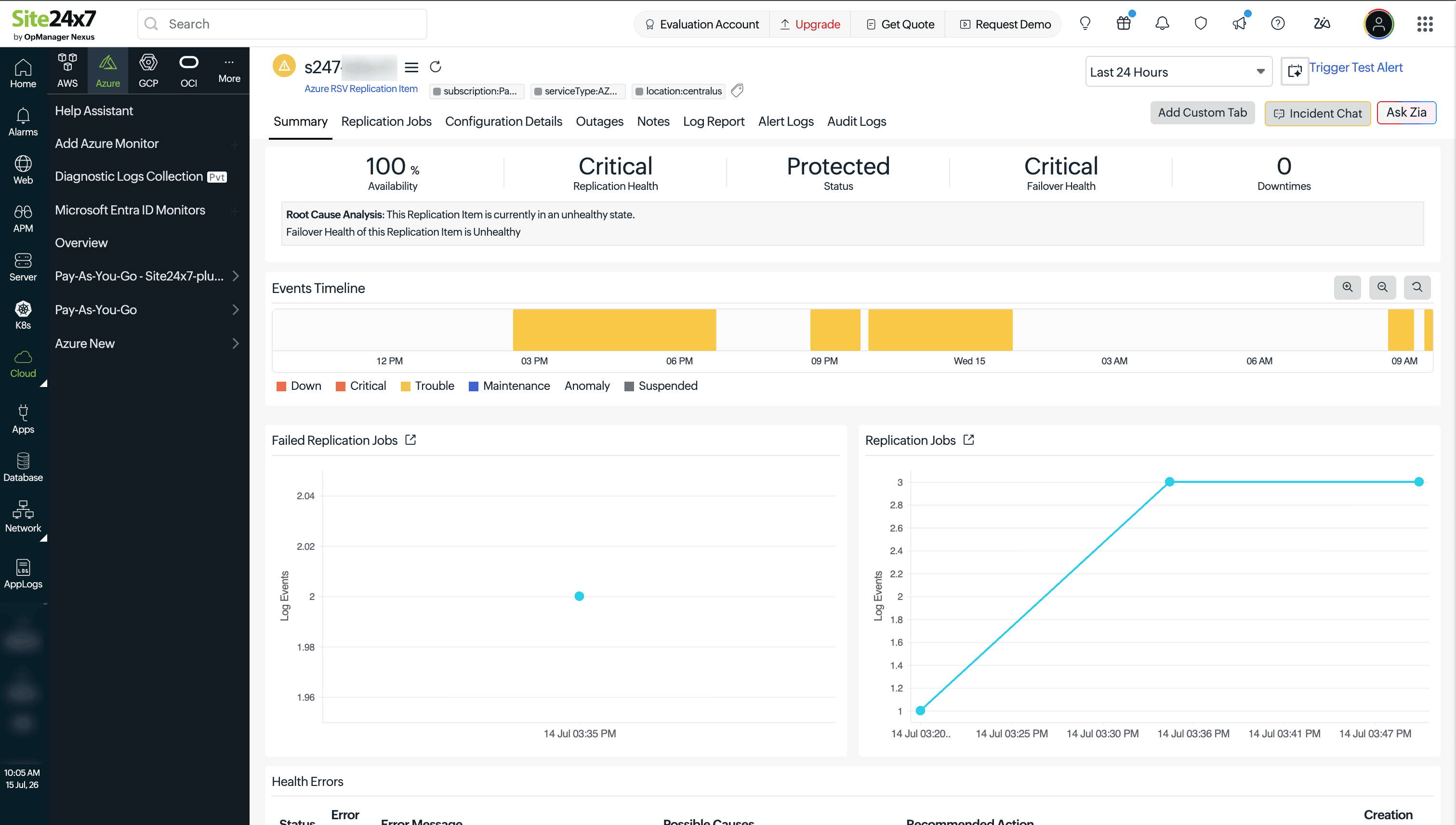
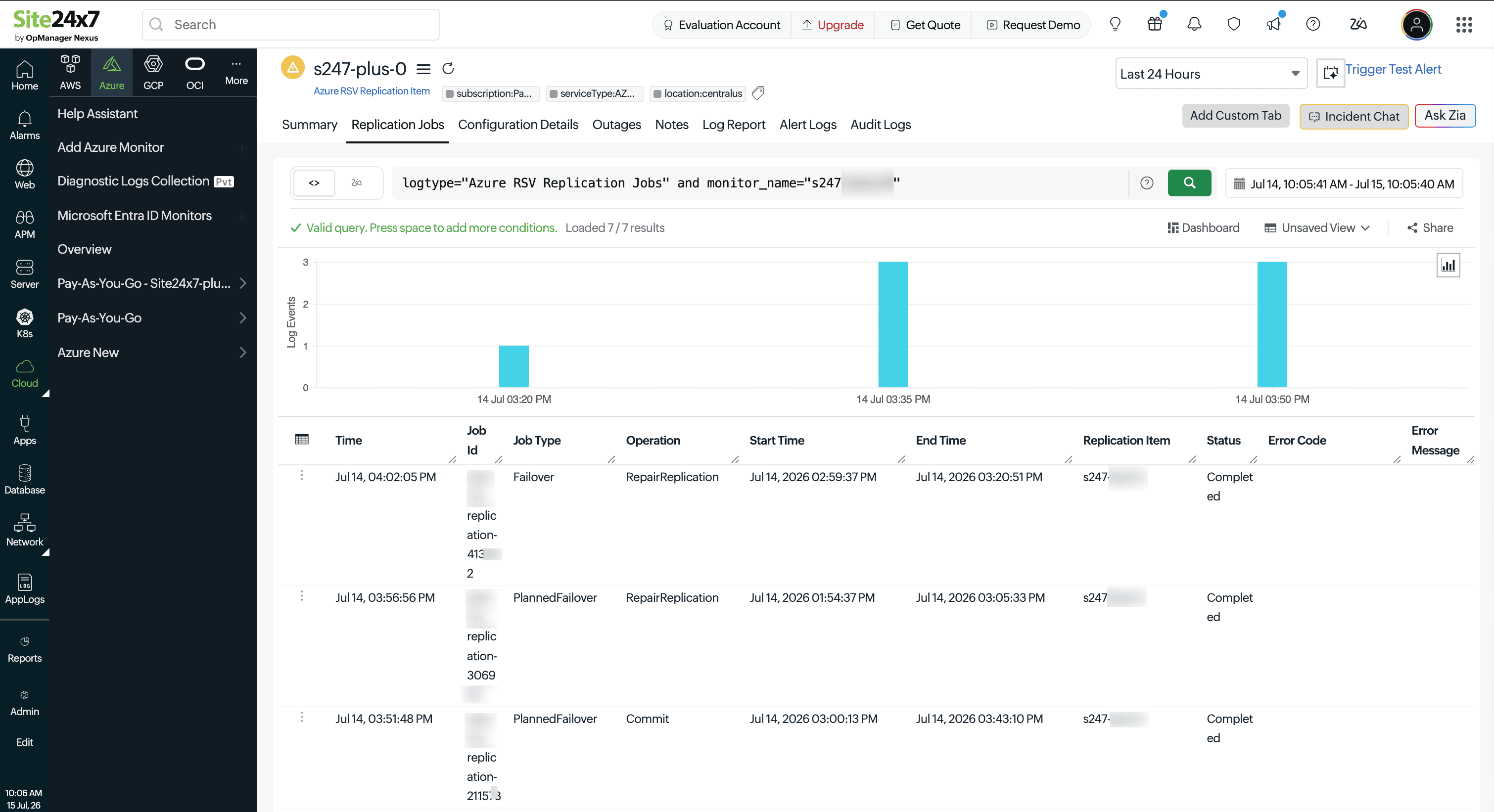
Site24x7 tracks the replication jobs executed for each item and visualizes both total and failed job counts over time. The Logs tab on the replication item's detail page lets you search and filter the underlying replication job log entries for deeper investigation into specific job failures.
For example, to know the details of all Azure Recovery Service Vault Replication Jobs, in this tab, execute the query "logtype-'Azure RSV Replication Jobs'' and monitor_name=''<enter_monitor_name_here" .
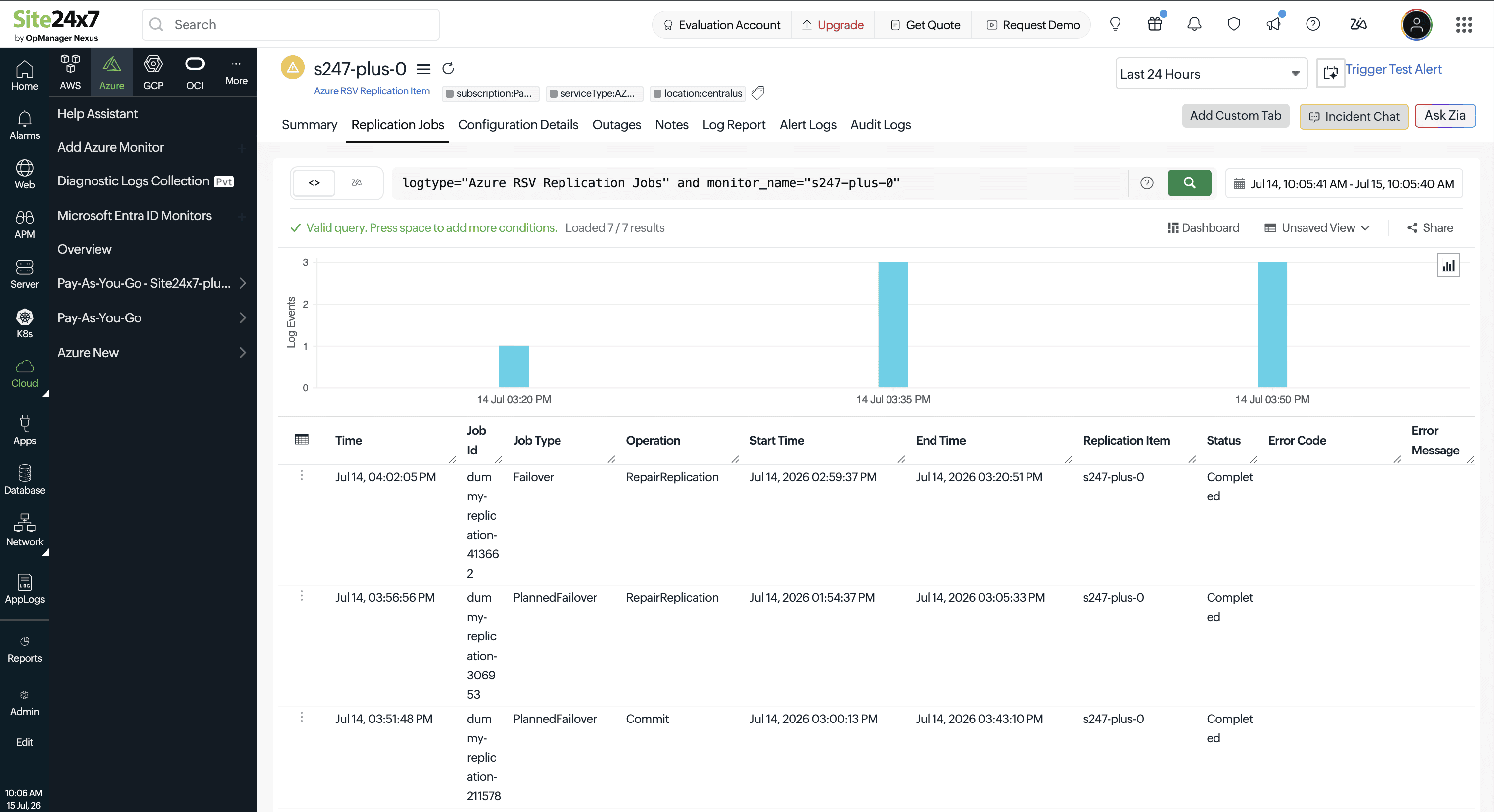
A rising trend in Failed Replication Jobs combined with an increasing Last RPO value is a strong early indicator of replication problems. Investigate the Health Errors tab and the source VM's network connectivity to Azure Site Recovery.
Licensing
Every 25 Replication Item monitor consumes one basic monitor license.