Bring Your Own Key (BYOK)
Connect Zia to leading AI providers using your own API keys. With Zia Bring Your Own Key (BYOK), you can integrate Zia with supported LLM providers such as OpenAI, Anthropic, and Google AI Studio.
This integration enables you to securely use your own API keys, retain full control over AI usage and billing, and use your preferred language models to generate AI-powered insights within Zia.
Why choose BYOK?
- Control your AI budget: Manage your AI usage and associated costs directly through your chosen AI provider.
- Choose your preferred AI provider: Select the AI model that best fits your use case. For example, use GPT-4o through OpenAI, Claude through Anthropic, or Gemini through Google AI Studio.
- Process data within your AI provider's infrastructure: Your monitoring data is processed through the infrastructure of your selected AI provider.
Prerequisites
Before configuring BYOK, ensure that you have:
- An active account with at least one supported AI provider.
- Access to the AI model you intend to use with the selected provider.
- A valid API key generated from the provider's developer platform or API console.
Supported AI vendors
- OpenAI
- Anthropic
You can configure integrations for multiple AI providers. After adding multiple BYOK integrations, select the required AI provider or model from the Zia drop-down menu before submitting your query.
How to integrate Zia using BYOK
Below are the steps for integrating Zia using BYOK:
- Log in to your account.
- Navigate to Admin > Third-Party Integration > Zia Bring Your Own Key (BYOK). Alternatively, you can click the Zia icon
 in the top-right corner of the page, then click Add Zia Integration.
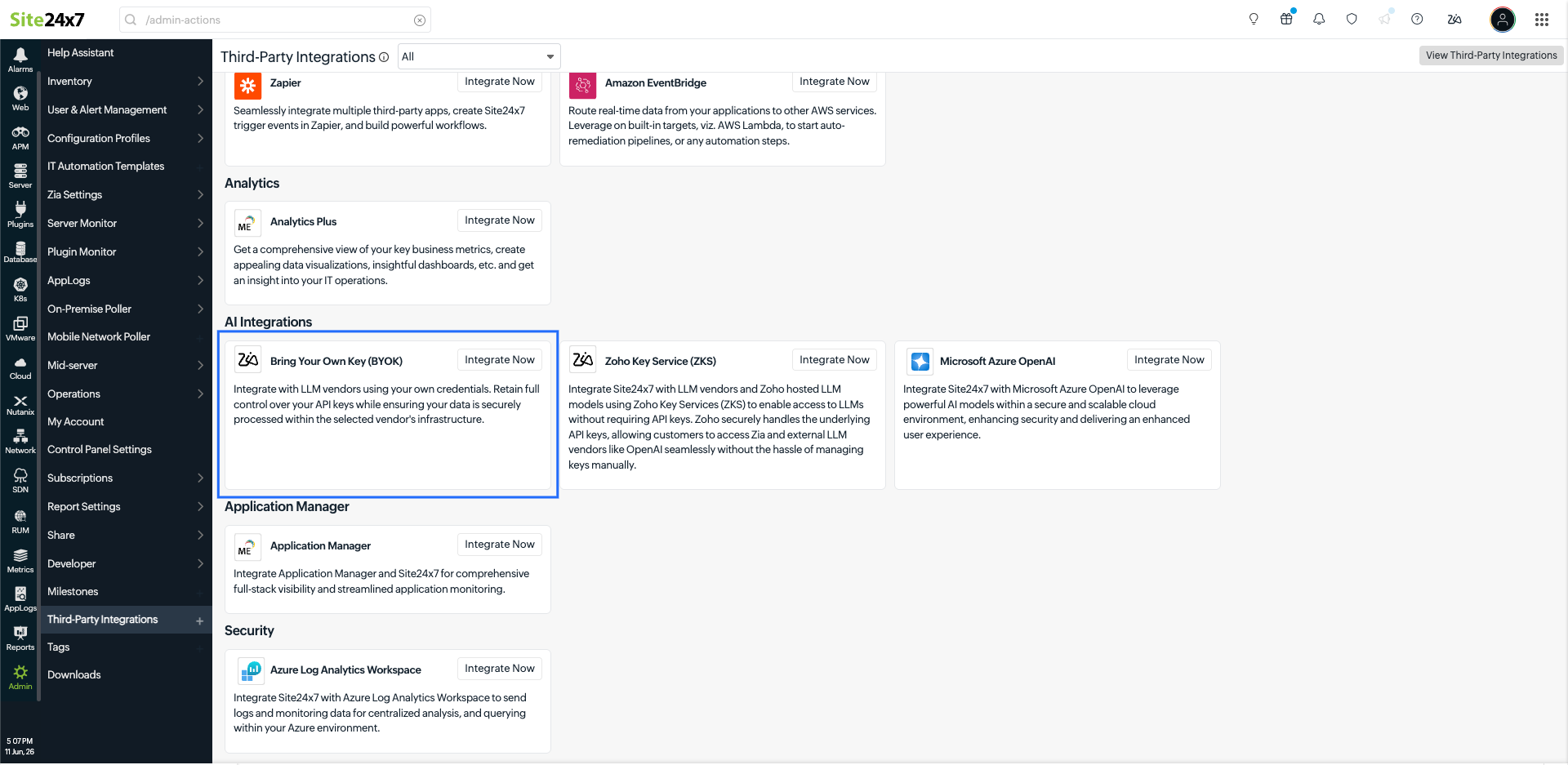
- Configure the following fields:
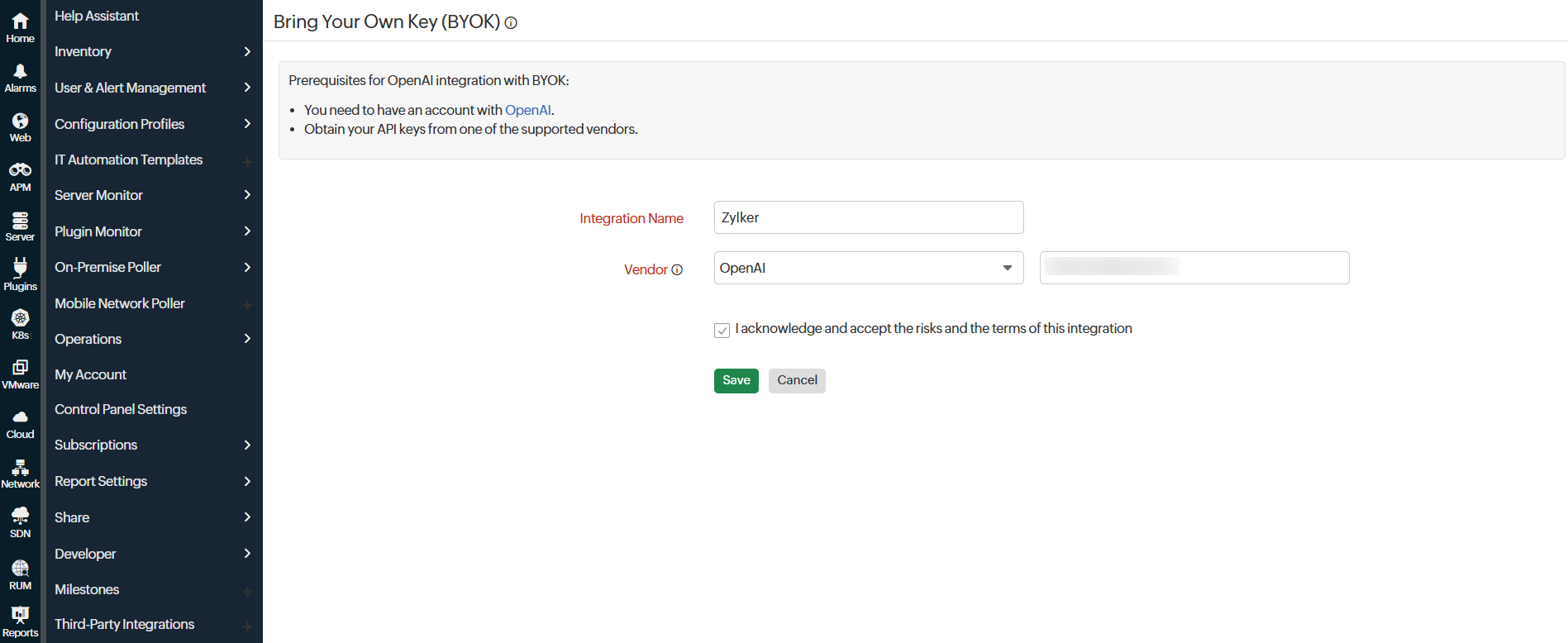
- Integration Name: Enter a name for the BYOK integration. This will help you identify the integration within the platform.
- Vendors: Select a vendor from the drop-down list and paste the API key generated from the selected AI provider.
- Check the acknowledgment box to confirm that you understand and accept the risks and terms of the integration agreement.
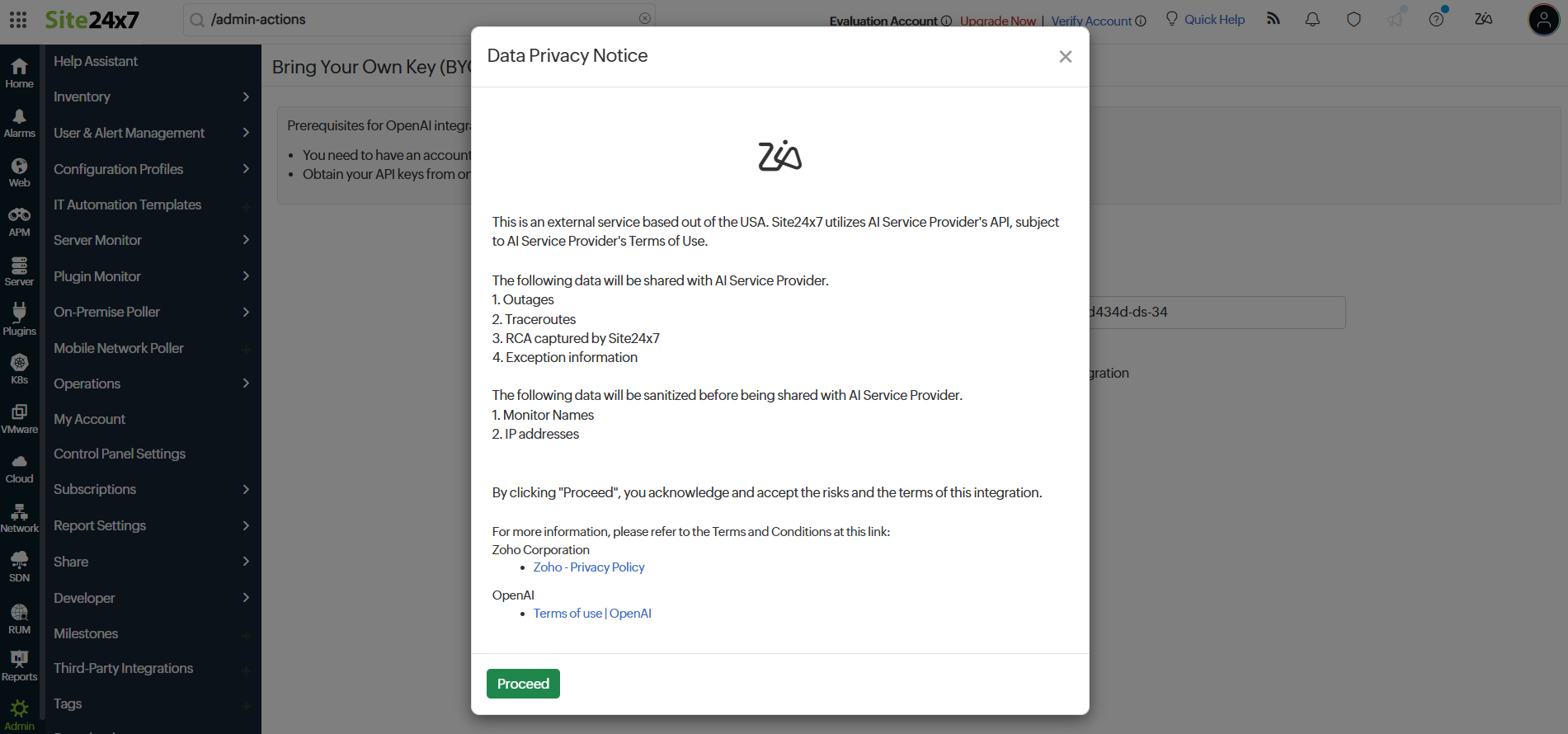
- A Data Privacy Notice pop-up will appear. Review the notice and click I Agree to proceed.
- Click Save to save the integration.
If you have configured multiple BYOK integrations, you can select the required AI provider or model from the drop-down menu in Zia before submitting your prompt.