
Monitor Aruba Central Networks in Site24x7
Aruba Central is a cloud-hosted orchestration platform used to monitor and manage Aruba wireless access points, switches, and gateways across distributed networks. Integrating Aruba Central with Site24x7 enables unified visibility, performance tracking, and proactive incident response.
Common terms
- Access Point (AP): A wireless device that provides network connectivity for users and devices.
- Switch: A network device that connects multiple endpoints and forwards traffic within LAN environments.
- Gateway: Acts as the primary boundary device, enabling secure connectivity between internal networks and the WAN or cloud.
- Aruba Central: The centralized cloud monitoring and management console for Aruba infrastructure.
Purpose
Integrating Site24x7 with Aruba Central provides:
- Real-time monitoring of APs, switches, and gateways
- Resource utilization insights such as CPU and memory
- Faster troubleshooting with alert-driven visibility
- Improved uptime for distributed environments through continuous monitoring
Scope
Site24x7 collects real-time device and performance data from Aruba Central using APIs, including:
- Device availability and operational status
- Network performance metrics
- CPU and memory utilization for switches and gateways
Prerequisites
To enable Site24x7 to gather monitoring data securely from Aruba Central, ensure the following are available and properly configured:
- A publicly accessible Aruba Central URL for API communication.
- Client ID for authentication.
- Client Secret to validate access requests securely.
- Refresh Token to maintain continuous API connectivity without manual intervention. Learn how to generate an access token.
- At least Aruba Central View Only access to fetch monitoring data.
How it works
When Aruba Central devices are added as monitors:
- Site24x7 uses configured API credentials to connect to Aruba Central.
- Device inventory and performance metrics are fetched at periodic intervals.
- Metrics are displayed on dashboards and used for alerting and reporting.
Adding an Aruba Central monitor
Add your Aruba Central network as a monitor to start viewing performance metrics.
Viewing device summary
- Log in to your Site24x7 account.
- Navigate to SDN > Aruba Central.
- Click the required monitor.
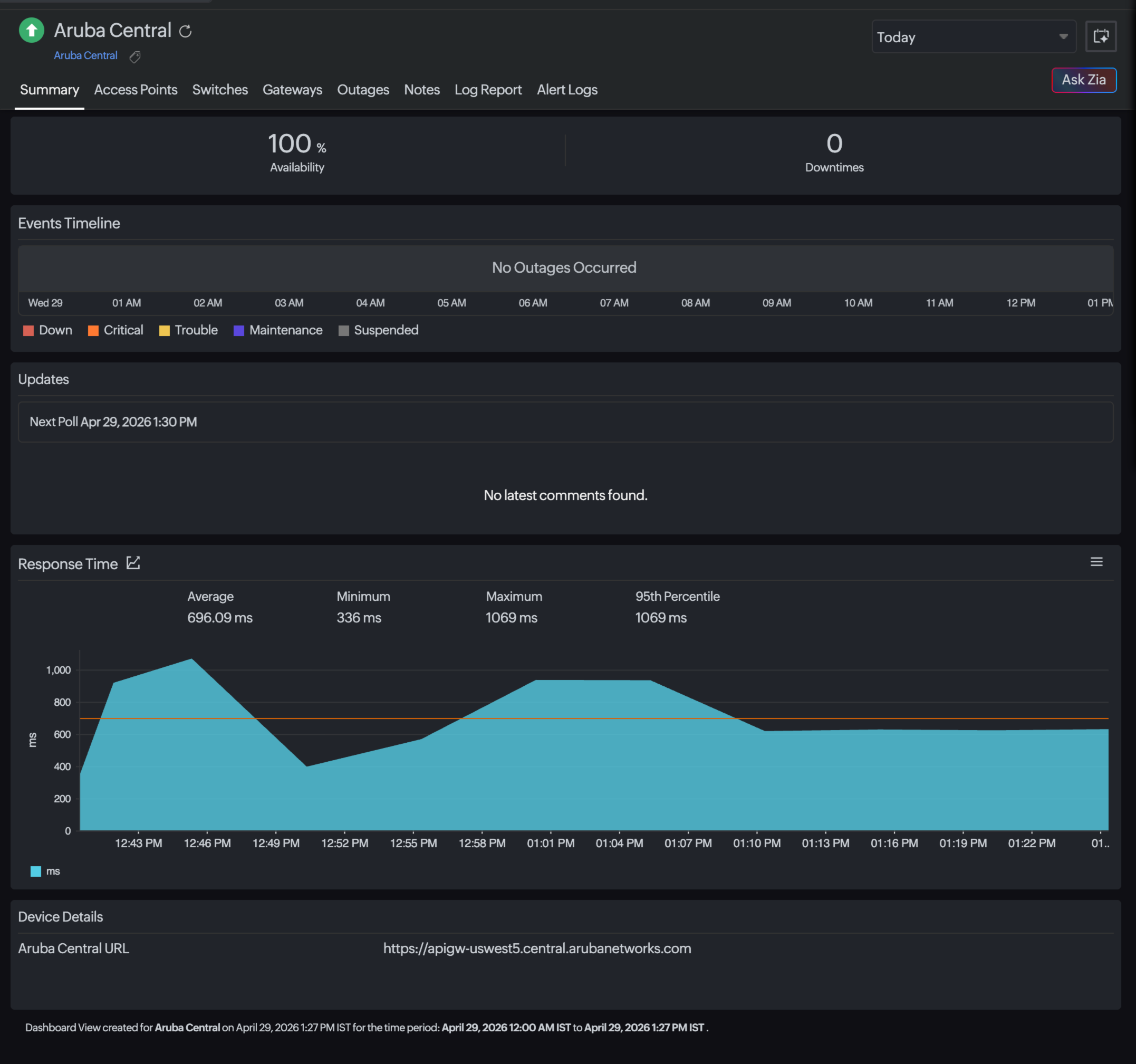
- View the Monitor Summary for overall status, availability, and performance details.
- Navigate to the Access Points, Switches, and Gateways tabs to view the respective details.
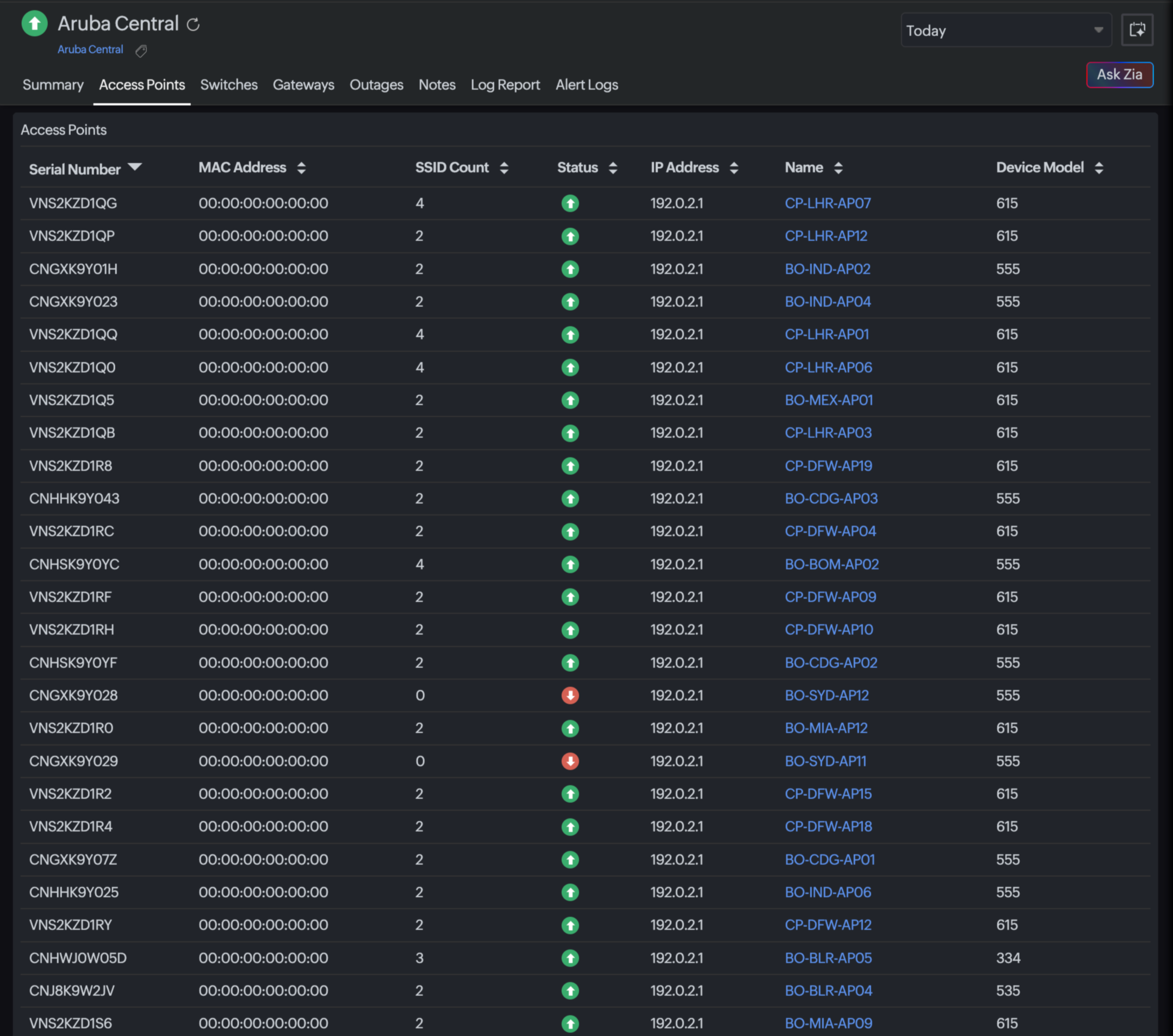
Access Points
View all discovered APs along with their health details.
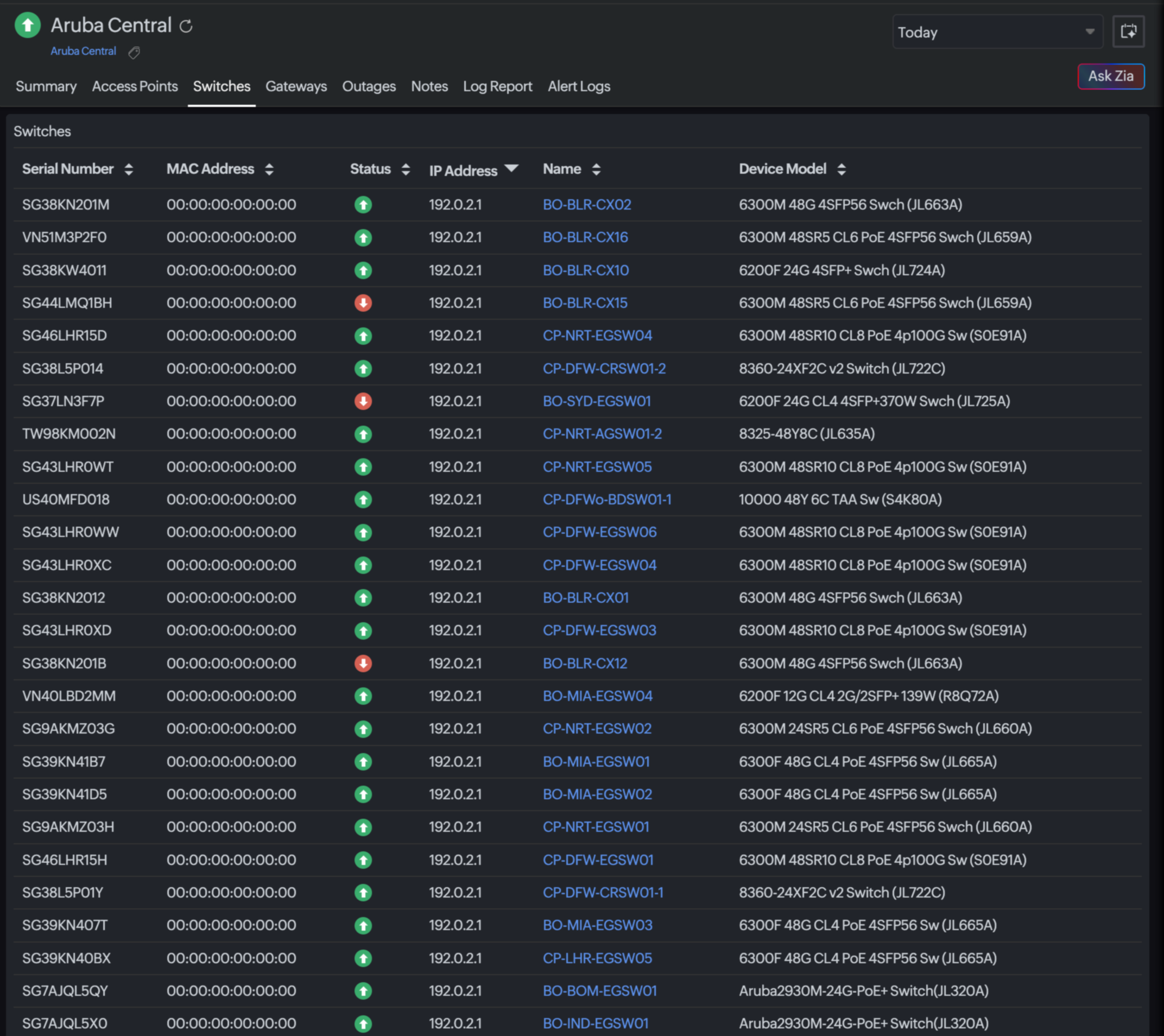
Switches
Monitor switches and obtain details on their CPU and Memory Utilization.
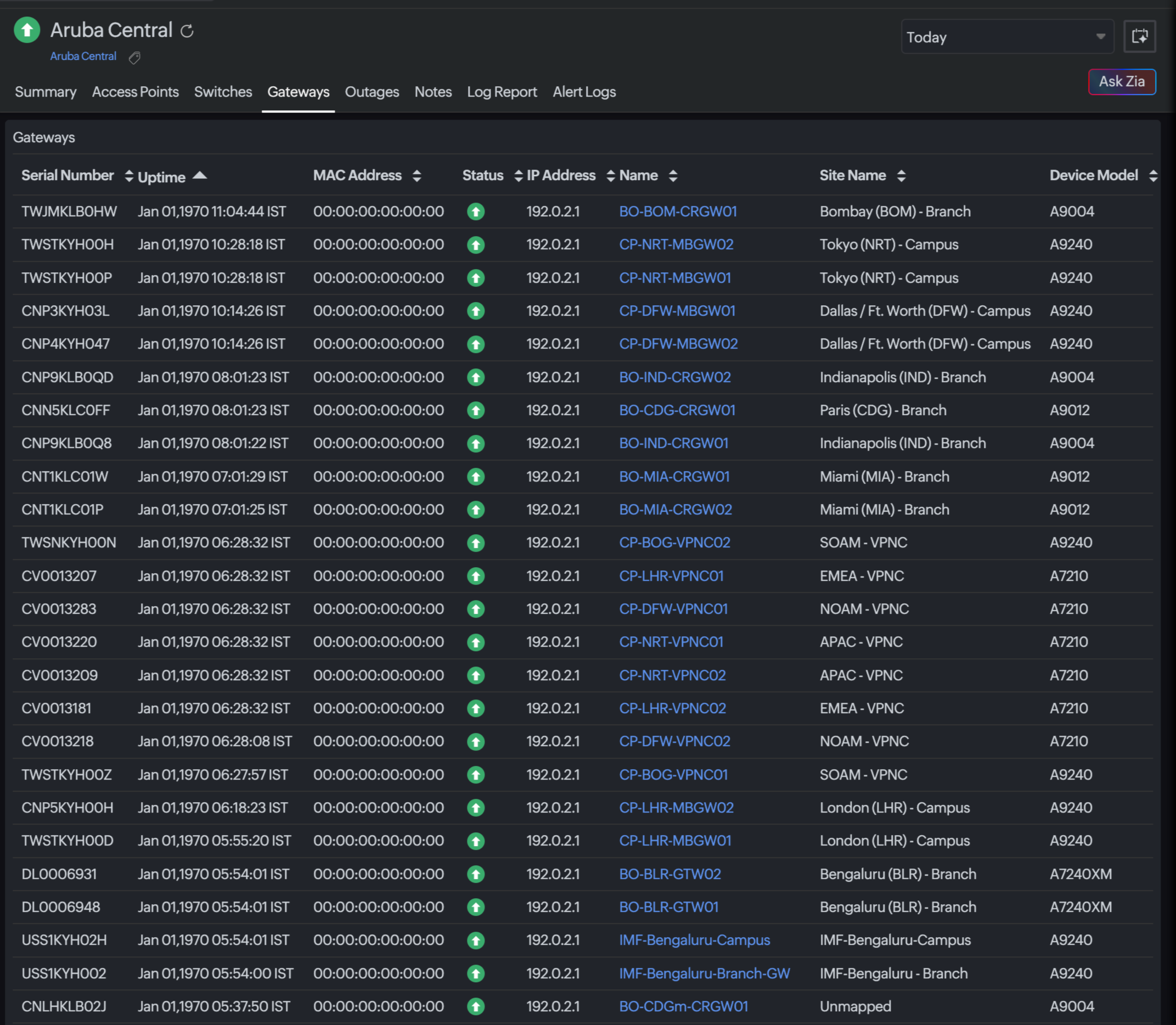
Gateways
Track Gateway metrics with details about the number of connected access points and their health metrics.
Inventory
Review the following details in the Inventory tab:
- Monitor Licensing Category
- Threshold and Availability Profile
- Notification Profile
- User Alert Group
Editable fields are indicated with an edit icon.
Outages
- Detect downtime and degradation events.
- Click an outage entry to add comments for audit trail.
Reports
Navigate to Reports and select Aruba Central, Aruba Access Point, Aruba Switch, or Aruba Gateway as needed, and select available report types:
- Aruba Central Orchestrators by Response Time
- Access Points by CPU Utilization
- Access Points by Memory Utilization
- Switches by CPU Utilization
- Switches by Memory Utilization
- Gateways by CPU Utilization
- Gateways by Memory Utilization