Azure Discovery Report
The Azure Discovery Report in Site24x7 gives you a consolidated view of all resources discovered in your Azure account. This report helps you track resource inventory, growth, and configuration changes over time, ensuring you have complete visibility into your cloud footprint.
This report provides:
-
A summary of resources discovered over a month.
-
Insights into the resource gaps, i.e., the number of resources added for monitoring vs the number of resources yet to be added.
-
The resource count fetched from the API at that time.
Benefits
-
Detect sudden spikes: Any unusual increase in resource count is captured in the report, provided Site24x7 has the necessary permissions to access your Azure subscription.
-
Understand growth trends: Track how your Azure resources change over time, helping you identify spikes, dips, and overall usage patterns.
-
Maintain complete visibility: Stay on top of newly added or unmonitored resources to avoid blind spots in monitoring.
-
Analyze resource additions: Review how many resources were added during each discovery cycle.
-
Track discovery issues: Identify and troubleshoot problems that may affect resource detection.
-
Monitor discovery methods: Understand whether resources were added manually, automatically, or through integrations.
How to access the report
-
Log into Site24x7.
-
Navigate to Cloud > Azure > select your Azure monitor.
-
Click Discovery Report from the left pane.
The report lists the below:
-
Discovery Time: The date and time when the discovery process was run.
-
Duration: The total time taken to complete the discovery process.
-
Status: Indicates whether the discovery was Completed, or Failed.
-
Discovered: Shows the number of resources successfully monitored versus discovered (e.g., 50/100).
-
Monitored Count: Displays the count of monitored resources.
-
Initiated by: Identifies what triggered the discovery, such as User, Auto Discovery.
-
Discovery Issues: Lists any problems or observations during discovery, like missed VMs, or delayed updates.
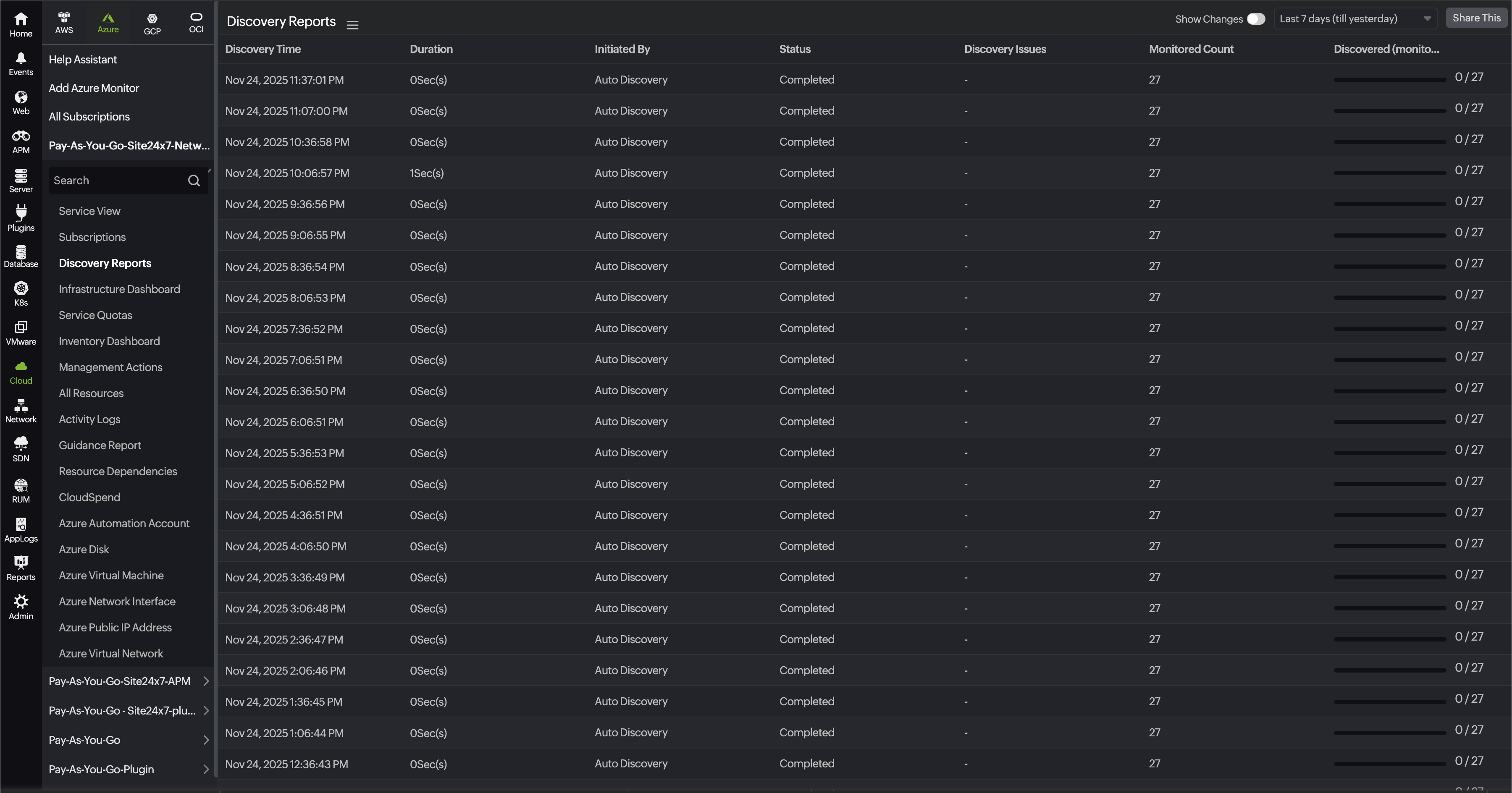
Toggle Yes to Change Summary at the top right corner of the report to get only the list of discovery updates that have resource addition.
Additional options:
-
Export the report as a PDF or CSV for sharing or record-keeping.
-
Schedule the report to receive automatic, timely updates.
-
On this page
- Benefits
- How to access the report