Device Key
A Device Key is a unique, secure alphanumeric key used to authenticate Site24x7 agent software when it communicates with Site24x7. It helps establish a secure connection between the agents installed on your monitored resources and the Site24x7 platform.
Once authenticated using the Device Key, the agent software collects performance metrics, inventory details, and other relevant monitoring data from the monitored resources and sends them to the Site24x7 data center.
The following Site24x7 agents use the Device Key for authentication:
- Windows Server Agent
- Linux Server Agent
- FreeBSD
- MacOS
- Docker Agent
- Kubernetes
- On-Premise Poller
- Mobile Network Poller
- APM Insight Java Agent
- APM Insight .NET Agent
- APM Insight Ruby Agent
- APM Insight PHP Agent
- APM Insight Node.js Agent
- APM Insight Python Agent
- Site24x7 DeskApp
- Azure VM Extension
- Zapier Integration
It is strongly recommended to not share your device key with others, since this might cause a security breach. In case of an account with multiple sub-users, the super admin and the admin roles alone would be able to access the device key. Since the device key is unique, no two Site24x7 accounts can have the same device key.
Use cases
- Server monitoring: When installing Site24x7 agents on Windows, Linux, or other supported servers, the Device Key authenticates the agent software and enables it to send performance metrics to Site24x7.
- Application performance monitoring (APM): When deploying APM Insight agents to monitor application performance, the Device Key is used to authenticate the agent software and enable communication with Site24x7 for collecting application performance data.
- On-Premise Poller: When installing an On-Premise Poller to monitor resources within a private network, the Device Key authenticates the poller and enables it to communicate with Site24x7.
- Container and Kubernetes monitoring: When deploying monitoring agents in containerized environments, the Device Key authenticates the agent software and enables it to send container and cluster performance metrics to Site24x7.
- Monitoring across multiple locations: When an organization installs monitoring agents across different offices, data centers, or cloud environments, the Device Key authenticates these installations and enables centralized monitoring.
Generate Device Key
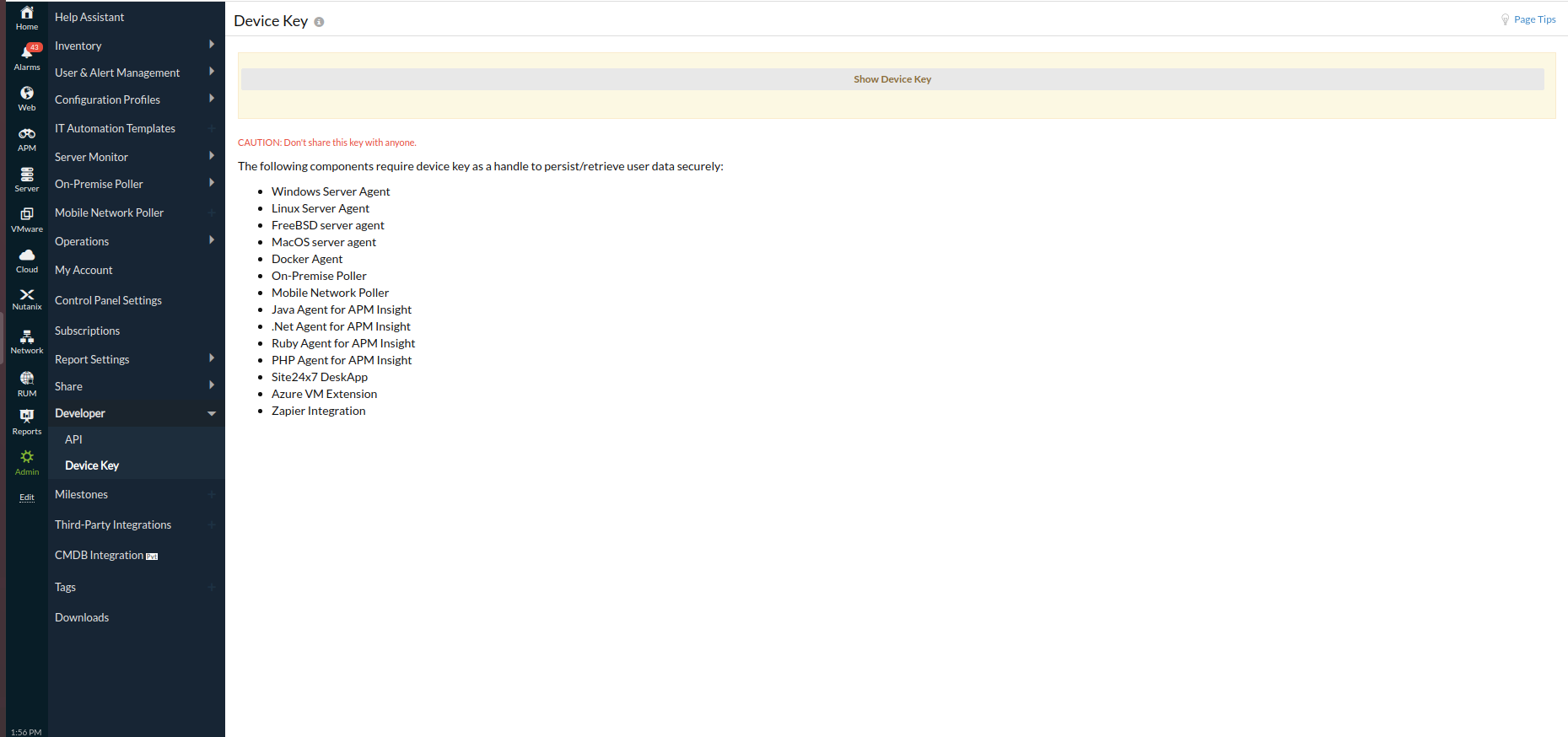
- Log in to Site24x7 and go to Admin > Developer > Device Key.
- In the Device Key screen, click Show Device Key. Copy-paste it and use it for the installation of the supported agents.
-
On this page
- Use cases
- Generate Device Key