Customize Tab
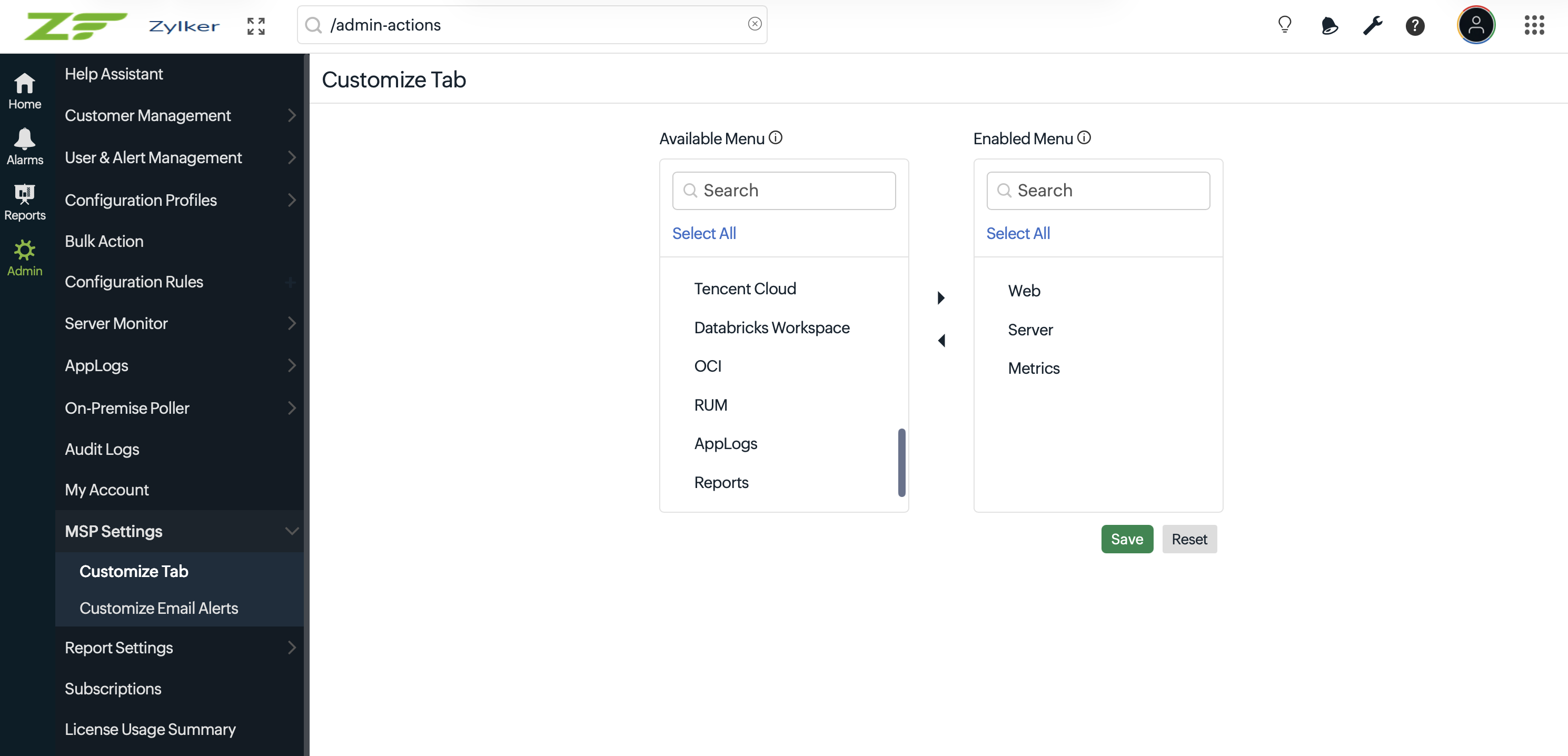
The Customize Tab option enables MSP administrators to customize the menu options displayed in the customer portal’s left navigation pane. This helps provide customers with a simplified and personalized monitoring experience based on their business requirements.
What is Customize Tab?
Using the Customize Tab option, you can control which menu options are displayed in your customers' left navigation pane. The selected configuration helps standardize the portal experience across customer accounts.
When you select the menu options and enable the check box, the changes will be applied to all customers in your account.
If not enabled, the previously selected menu options will be applied to only those customers who haven't selected any options from the left navigation menu.
This action can be performed by Admin and Operator roles.
Steps to customize tabs
- Log in to your Site24x7 MSP account.
- Navigate to Admin > MSP Settings > Customize Tab.
- Select the menu options you want to display in the customer portal to apply the changes to all customers in your account.
- Click Save to apply the changes.
Related articles
- Learn more on your accounts.