If the text "timed out" is detected in the log files located at:
/home/dev-user/app/app-bundle/Logs
the APM should send only one email alert per day, regardless of how many times the message appears.
The APM should scan the log files at 1 hours intervals, and the email notification should be triggered only on the first occurrence of the day. Any subsequent occurrences on the same day should not generate additional email alerts.
To help you configure this correctly, could you let us know what Log Type you have configured in Site24x7 AppLogs for the log files located at /home/dev-user/app/app-bundle/Logs?
Once you have that, you can set up the alert using the following steps:
1. Go to AppLogs → Search
2. Run the following query:
logtype="YOUR_LOG_TYPE_NAME" AND message="timed out"
(Replace YOUR_LOG_TYPE_NAME with the exact log type name you have configured)
3. Click Create Alert from the search results

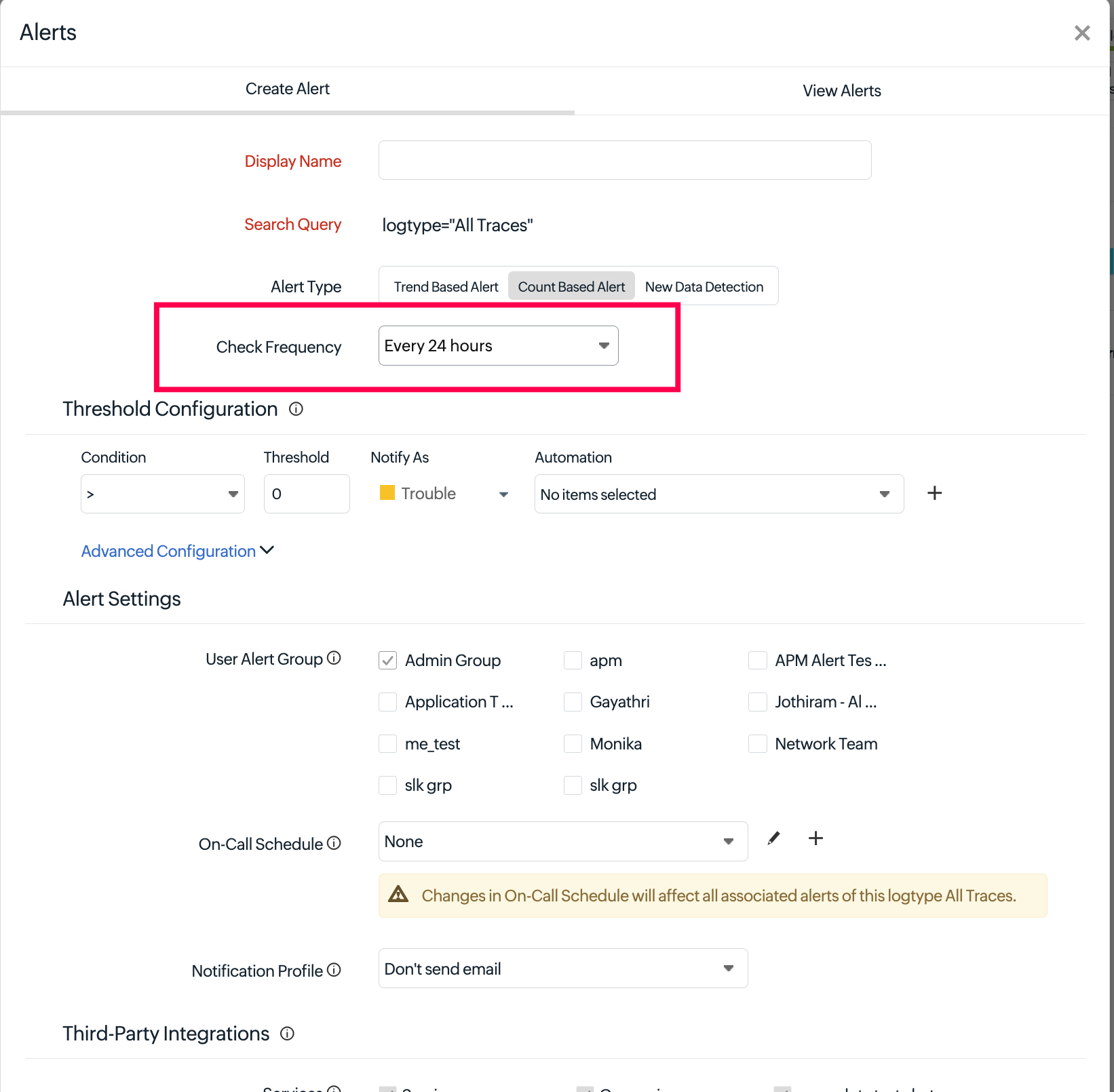
4. Set the Check Frequency to Every 24 Hours
5. Under the Notification Profile, please ensure that Persistent Alert is turned OFF(If not configured, go to Admin>Configuration Profile>Notification profiles), this is important to make sure you receive only one notification per day and not repeated alerts
This setup will scan for the "timed out" message once every 24 hours and trigger the email only on the first detection, which meets your requirement.
Please let us know your configured Log Type name and we can assist further if needed.
Jenzo