
Greetings!
We’re thrilled to announce a much-awaited addition to our cloud application monitoring family—MongoDB Atlas monitoring in Site24x7!
Many of you asked for it, and here it is! You can now monitor your entire MongoDB Atlas environment, including organizations, projects, clusters, and nodes, directly from Site24x7, without installing an agent.
With automatic cluster discovery, comprehensive performance metrics, slow query analysis, replication tracking, and proactive alerting, Site24x7 helps you identify bottlenecks, troubleshoot issues faster, and maintain optimal database performance.
Key highlights:
Here’s what you can expect from MongoDB Atlas monitoring in Site24x7:
- Automatic cluster discovery: Automatically discover MongoDB Atlas clusters or manually select the clusters you want to monitor.
- Slow queries: Analyze slow query logs to identify inefficient queries and database performance bottlenecks.
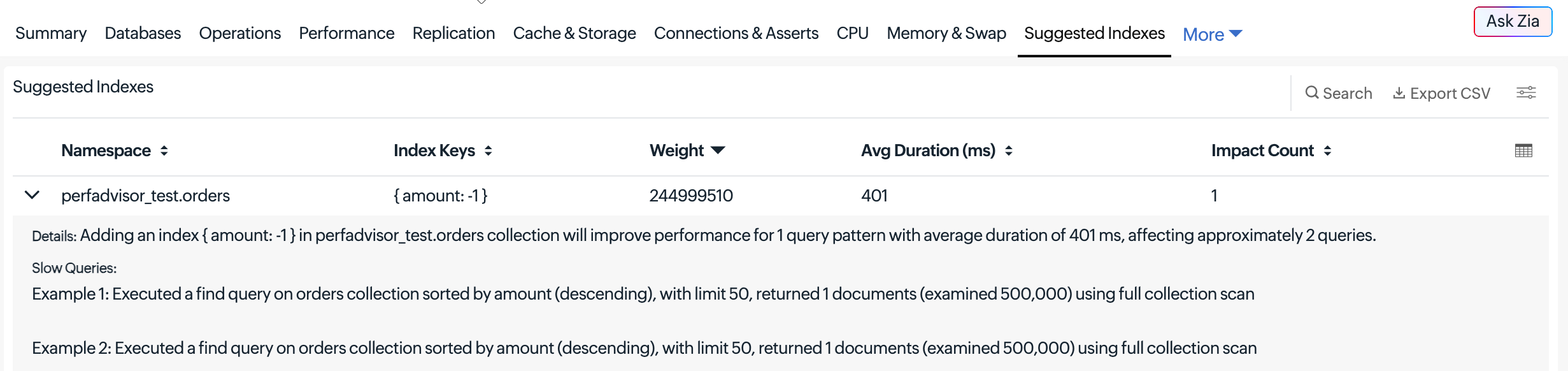
- Suggested indexes: Get index recommendations to optimize query performance.
- Replication tracking: Monitor oplog growth and replication lag, with alerts for delays on secondary nodes.
- Over 100 performance metrics: Track connections, database operations, cache ratios, CPU, memory, disk IOPS, network activity, and Atlas Search (FTS).
- Security auditing: Gain visibility into API keys, associated roles, backup status, encryption at rest, and termination protection.
- Smart alerts: Receive threshold-based alerts when monitored nodes enter Down, Trouble, or Critical states.
Explore MongoDB Atlas monitoring insights in Site24x7
Site24x7 provides dedicated monitoring views for MongoDB Atlas projects, clusters, and nodes, helping you analyze performance metrics, identify bottlenecks, and troubleshoot issues.
MongoDB Atlas project monitoring
Gain visibility into your MongoDB Atlas projects and their associated clusters. Monitor project-level information and navigate to individual clusters for detailed performance analysis.
MongoDB Atlas cluster monitoring
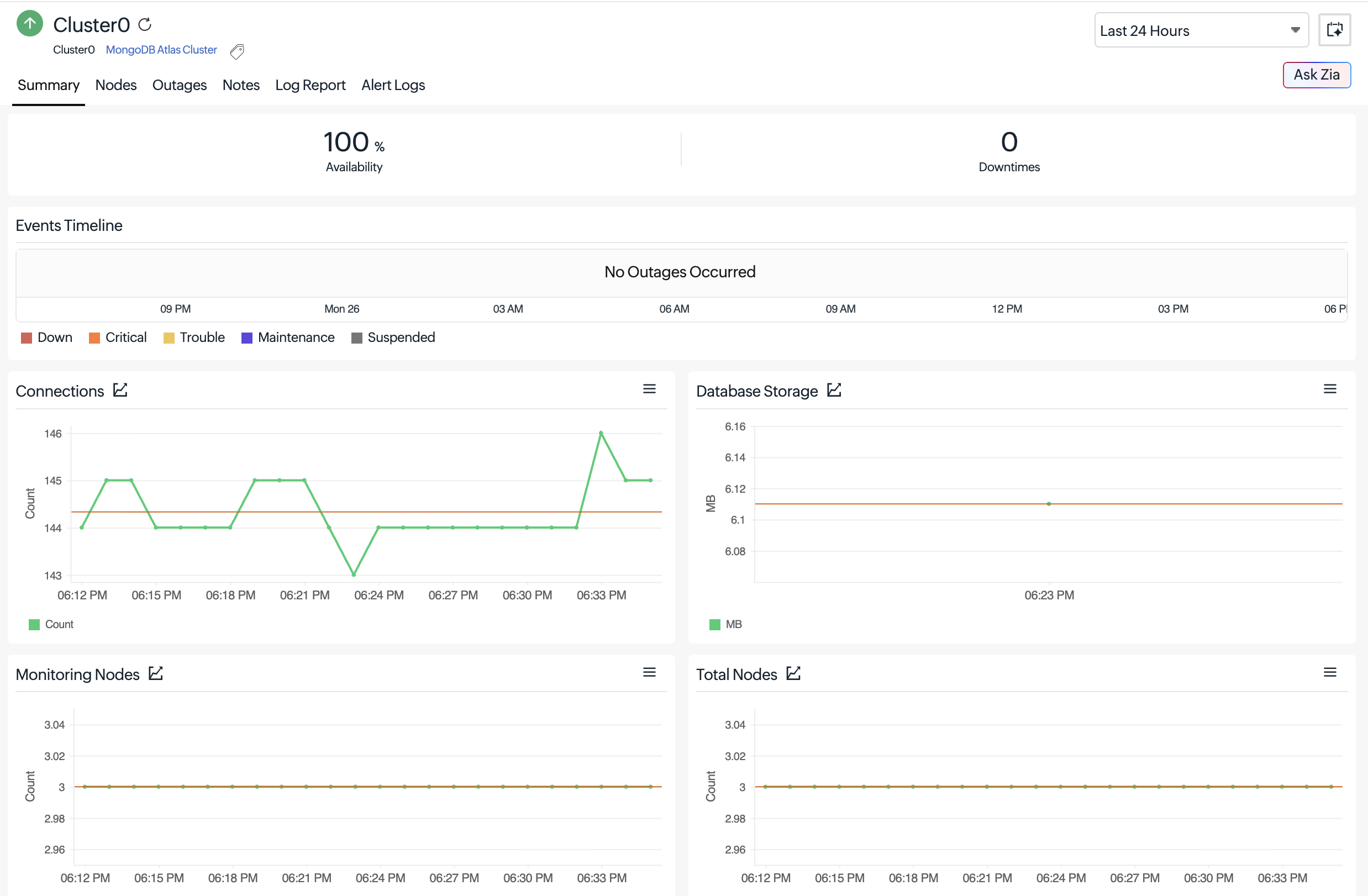
- Summary: View an overview of cluster health, availability, and key performance indicators.
- Configuration: View cluster details, including MongoDB version, cluster type, instance size, cloud provider, backup status, encryption at rest, and auto-scaling settings.
MongoDB Atlas node monitoring
Analyze node-level performance through dedicated tabs to identify resource constraints and database bottlenecks.
Summary: Get an overview of node health and key performance metrics.
Database operations: Track queries, inserts, updates, deletes, commands, and query execution statistics.
CPU and memory: Monitor CPU utilization, resident memory, virtual memory, available memory, and swap activity.
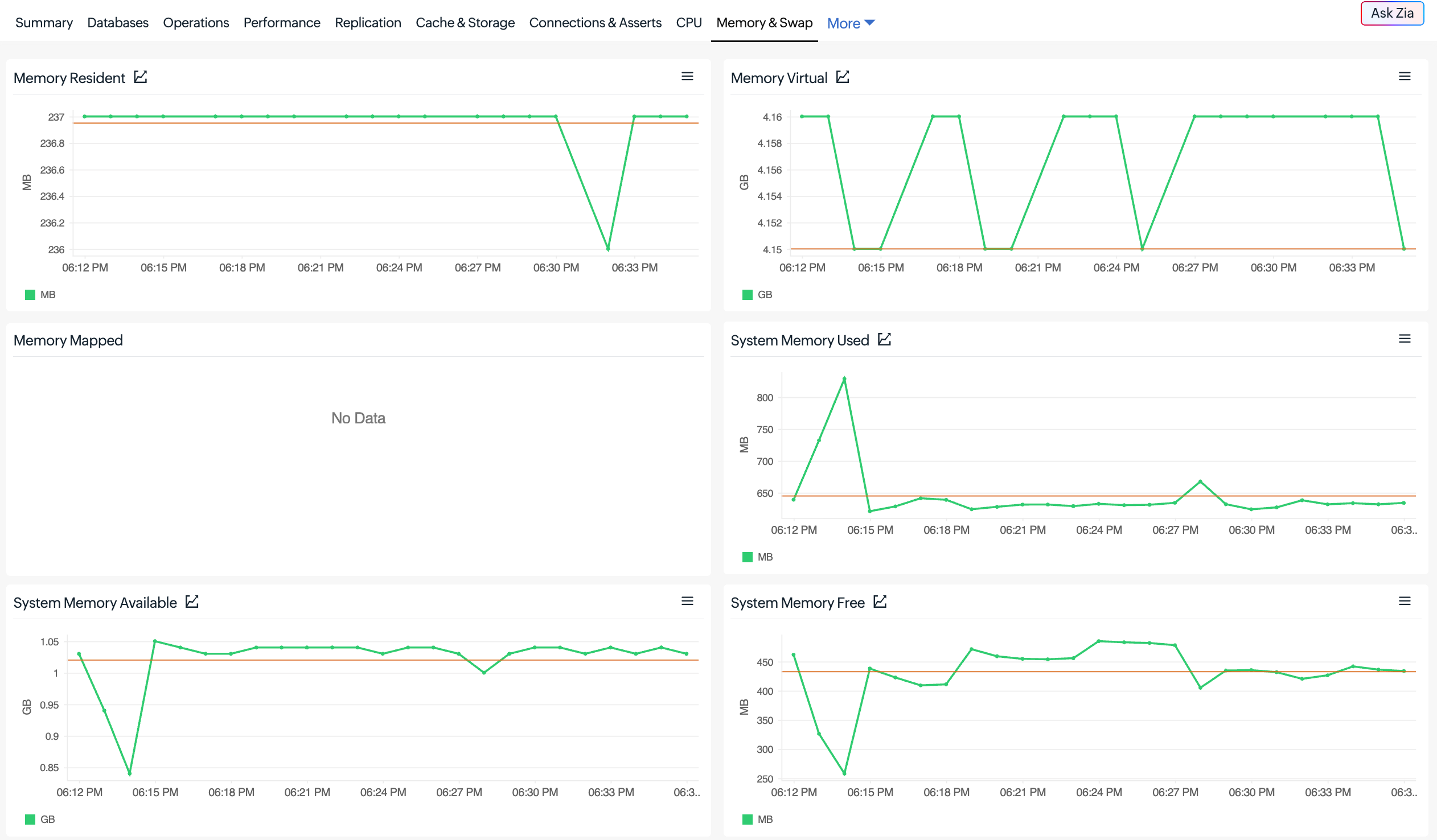
Replication: Analyze replication lag and oplog activity to identify replication delays.
Cache and storage: Track WiredTiger cache utilization, cache fill ratios, dirty cache activity, and storage metrics.
Disk and network: Monitor disk IOPS, read and write latency, throughput, and network traffic.
Connections and asserts: Track active database connections and network request activity.
Slow queries: Analyze slow query logs to identify inefficient queries affecting database performance.
Suggested indexes: View index recommendations from MongoDB Atlas Performance Advisor to optimize query performance.
Get started in minutes
- Create a service account in MongoDB Atlas with the Organization Read Only permission.
- Log in to Site24x7 and navigate to Apps > Cloud Application > MongoDB Atlas.
- Add an OAuth provider using your MongoDB Atlas service account’s Client ID and Client Secret.
- Configure the required monitor details and click Save to start monitoring.

For detailed setup instructions, refer to our MongoDB Atlas monitoring help documentation.
Don’t wait for database issues to impact your applications. Add your MongoDB Atlas monitor today!
Have questions or suggestions? Drop them in the comments. We’d love to hear from you!
The Site24x7 team