
by Jenifer P
Greetings!
Comparing log counts or averages across conditions, such as healthy and unhealthy service states, often requires a separate query for each condition and manual comparison of the results. That extra effort slows down troubleshooting and makes differences harder to identify.
Recognizing this need, AppLogs now supports the subquery operator, allowing you to evaluate multiple conditions in a single query, each with its own aggregation function. Results appear in separate, named columns for easy comparison.
Key benefits of AppLogs subquery
The subquery operator makes log analysis simpler in the following ways:
- Compare results in one view: Evaluate multiple conditions in a single query and view the results side by side.
- Choose a calculation for each condition: Apply a separate aggregation function to each condition within the same query.
- Compare results by field or time: Group results by a field or time interval to identify differences across values or periods.
- Set a time range for each condition: Limit individual conditions to a specific period without changing the time range for other conditions.
- Make results easier to understand: Give each result column a meaningful name so others can easily interpret the output.
- Build queries with helpful suggestions: Get field and aggregation function suggestions as you type.
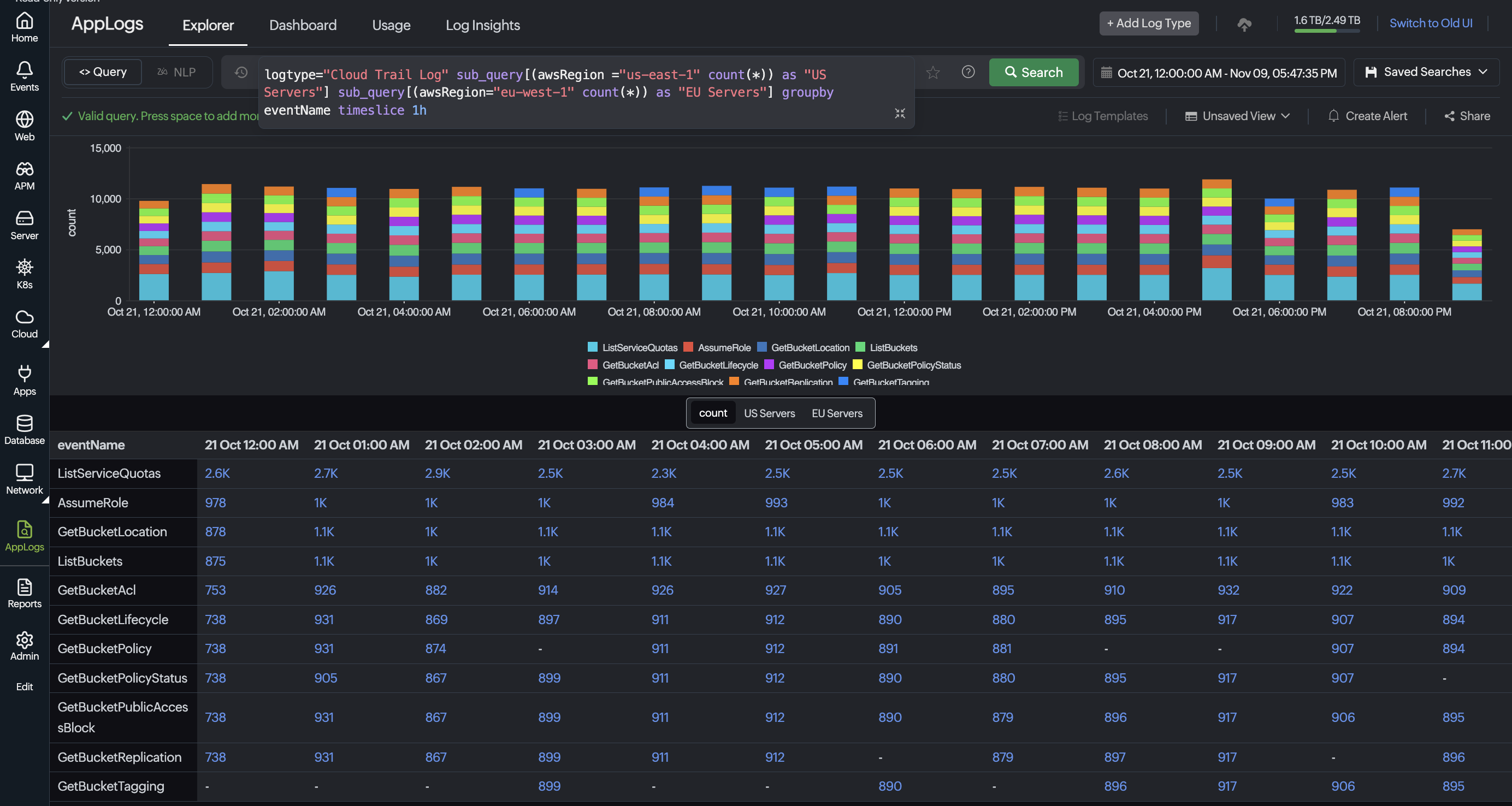
Getting started
To begin, open AppLogs Explorer, specify the log type in your search query, and add the subquery operator to compare different conditions.
Have any thoughts or questions? Feel free to share them in the comments below!
Regards,
The Site24x7 team
Like (0)
Reply
Replies (0)